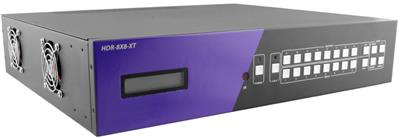
8×8 and 16×16 HDMI Matrix for Control Rooms: EDID, 4K60, and Failover (2026)
TL;DR
A living-room matrix is a convenience product. A control-room matrix is a routing appliance that must keep eight or sixteen sources on the correct walls when a handshake fails, a cable is yanked, or a decoder reboots.
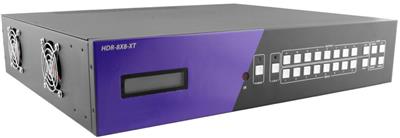
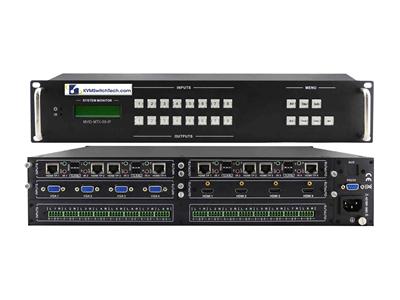
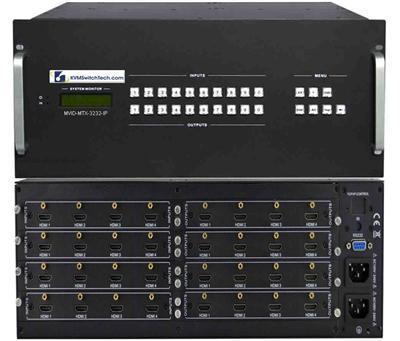
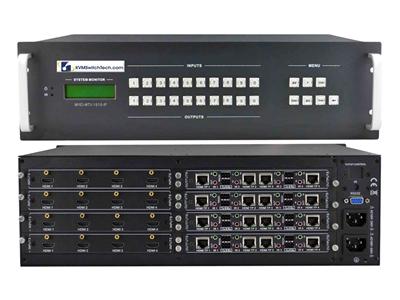
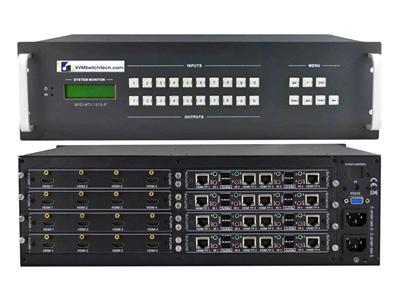
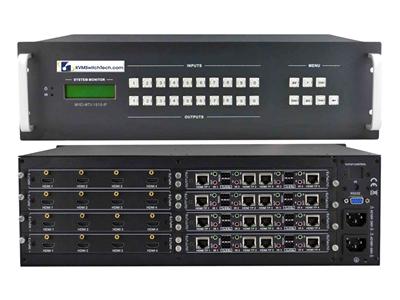
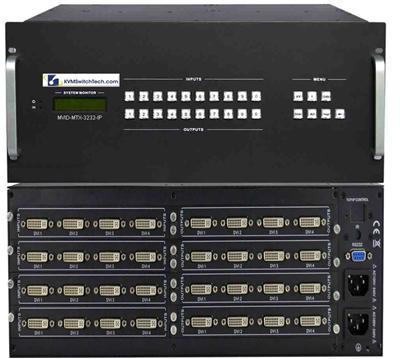
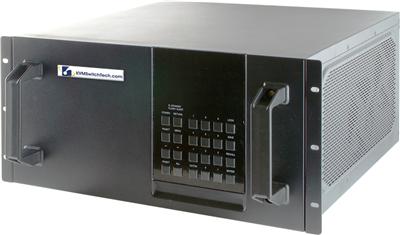
- Size I/O first. An 8×8 HDMI matrix switch fits a single-row SOC or a small NOC. A 16×16 HDMI matrix is the default when you have spare inputs for a backup encoder, a test pattern generator, and a legal-hold recorder.
- Demand 4K60 at 4:4:4 only if every hop (source, matrix, copper or HDBaseT, display) actually carries 18 Gbps. Many "4K60" matrices drop to 4:2:0.
- Treat EDID as a design item, not a DIP-switch afterthought. Mixed native resolutions on the wall are the most common cause of black screens after a source swap.
- Specify RS-232 and TCP/IP so the room controller can take over when the front-panel IR remote is in a drawer.
- Write failover into the BOM: input-priority on the matrix, dual PSU if the chassis offers it, and a documented fallback source (slate, last-known-good camera, or a second encoder).
- Use HDBaseT when copper HDMI cannot reach the wall. HDBaseT Alliance documents uncompressed 4K@60 4:4:4 to 100 m / 328 ft on HDBaseT 3.0 over Cat6a.
Need help matching chassis size, video format, and distance? Call (216) 798-7530. Shop live SKUs: HDMI matrix switch, 8×8 HDMI matrix switch, 16×16 HDMI matrix switch, and video matrix switches.

What a control-room HDMI matrix actually does
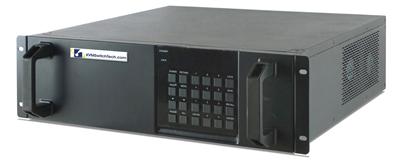
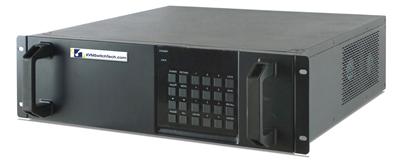
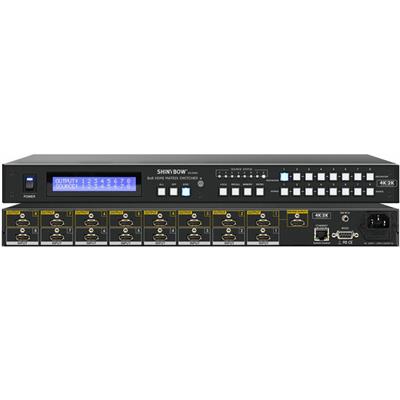
An HDMI matrix switch accepts N HDMI (or mixed HDMI / HDBaseT) sources and independently assigns any source to any of M outputs. An 8×8 unit has eight inputs and eight outputs. A 16×16 unit doubles both. That is different from an 8-port HDMI KVM switch (one operator, many PCs) and different from a quad multiviewer (four sources composited on one panel).
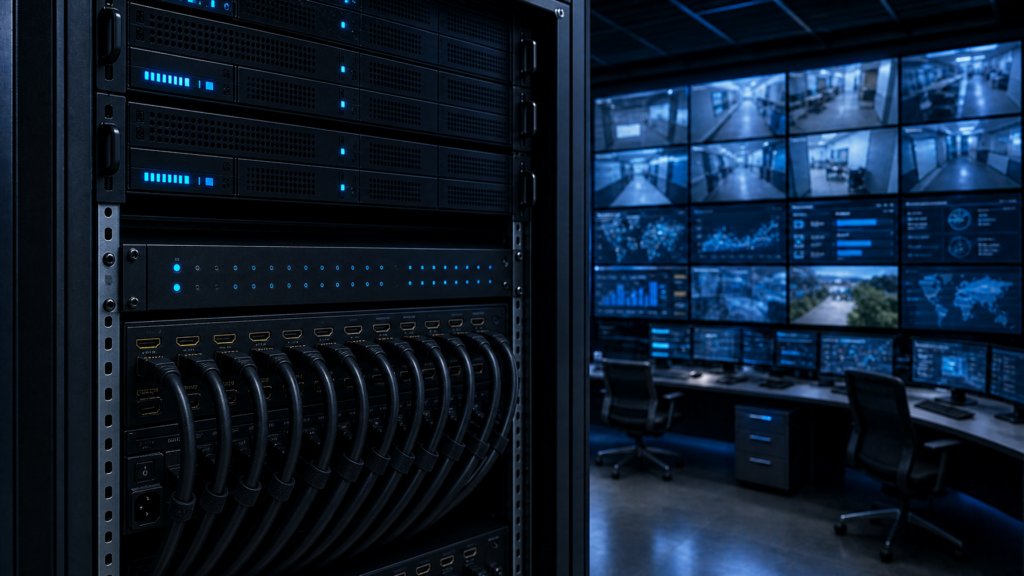
In a SOC, NOC, or broadcast gallery the matrix sits between:
- Sources: camera decoders, NVR HDMI outputs, encoder loop-outs, SCADA workstations, weather or news feeds, legal-hold recorders.
- Destinations: video-wall processors, individual control room monitors, overflow screens in an adjacent war room, a confidence monitor at the supervisor desk.
The routing table must survive a source reboot. The handshake must survive a hot-plug. The control path must survive a lost IR blaster. Those three sentences are the difference between a consumer 8×8 and a chassis you can leave unattended for a weekend.
8×8 vs 16×16: how to size the chassis
| Decision | 8×8 HDMI matrix switch | 16×16 HDMI matrix |
|---|---|---|
| Typical room | Single-row SOC, small radio newsroom, 4- to 6-head supervisor bay | Multi-row NOC, broadcast gallery, campus SOC with overflow |
| Spare I/O | Tight. You usually fill every port. | Room for a backup encoder, a test-pattern generator, and a spare wall feed |
| Cable plant | HDMI copper if walls are close; HDBaseT if not | Almost always mixed HDMI + HDBaseT or modular cards |
| Control | Front panel + IR is not enough; still specify RS-232 / IP | IP control is mandatory; expect Crestron / AMX / Q-SYS / custom TCP |
| Growth | A second 8×8 later creates two routing domains | One chassis, one routing table |
Rule of thumb: count today's live sources, add one test source, add one legal or archive loop, add one spare. If that number is 9 or higher, stop shopping 8×8.
A 4×4 belongs in a huddle room. Do not downsize a control room to 4×4 to save a rack unit. You will outgrow it the first time legal asks for a dedicated recorder feed.
Bandwidth: 4K60, chroma, and the 18 Gbps gap
HDMI 2.0-class copper is specified around 18 Gbps. HDMI Licensing Administrator documents Premium High Speed cables as the class certified for 4K60, HDR, and expanded color at up to 18 Gbps. That is the copper budget a true 4K60 4:4:4 path needs.
Read the matrix data sheet for three numbers, not one:
- Maximum pixel clock / TMDS rate. "4K60" without chroma is incomplete. 4K60 4:2:0 fits in a much smaller pipe than 4K60 4:4:4.
- Per-port vs shared backplane. Some modular frames advertise 4K60 on a card but oversubscribe the crosspoint when every port is hot.
- HDCP version. HDCP 1.4 and 2.2/2.3 mixed on one output is a classic black-screen after a source swap. The matrix must either pass through or re-clock HDCP consistently.
Practical control-room guidance:
- Workstation and SCADA HDMI outputs are often 1080p60 or 1440p. Do not force them to 4K just because the wall can do 4K.
- Camera and decoder feeds that must stay 4K60 4:4:4 need every hop certified for 18 Gbps, including the HDBaseT TX/RX pair.
- HDR (HDR10, HLG) is rare on SOC walls and common on broadcast confidence monitors. If you enable HDR on one output, confirm EDID does not advertise HDR to a source that then breaks the SDR wall.
HDBaseT generation matters as much as HDMI generation. Per the HDBaseT Alliance:
- HDBaseT 1.0: 4K typically to 70 m / 230 ft on Cat5e and up (100 m on select Cat6a).
- HDBaseT 2.0: 4K@30 4:4:4 / 4K@60 4:2:0 to 100 m / 328 ft on Cat6.
- HDBaseT 3.0: uncompressed 4K@60 4:4:4 to 100 m / 328 ft; Gigabit Ethernet in the 5Play set; Cat6a U/FTP recommended.
If the wall is more than about 10 m from the rack, stop planning on passive HDMI copper. Specify a Cat5e/Cat6 HDBaseT HDMI matrix or an HDMI matrix plus a certified Cat5 HDMI extender or fiber optic extender, and write the HDBaseT version into the spec so purchasing cannot substitute a 1.0 pair on a 4K60 4:4:4 path. Distance tradeoffs are covered in the fiber vs Cat5/Cat6 extender guide.

EDID: why control rooms go black after a source change
Extron's EDID primer is still the clearest public explanation. EDID is the 128-byte (plus extensions) block a display uses to tell a source its native timing, color, audio, and power behavior. VESA defined it; CEA-861 extended it for HDMI audio and consumer timings. The source reads EDID at power-up and on hot-plug.
In a point-to-point cable that works. In a matrix it fails in predictable ways:
- The source can only hold one EDID. Eight different control room monitors (a 1080p rackmount LCD, a 4K wall processor, a 16:10 supervisor panel) present eight different preferred timings.
- When you switch input 3 from the 4K wall to the 1080p LCD, a cheap matrix either (a) presents the new sink's EDID and the source renegotiates (black frame, 2 to 8 seconds) or (b) keeps the old EDID and the 1080p panel scales a 4K signal poorly, or shows nothing.
- Some PCs output nothing at all if they cannot read EDID. Extron documents this as a common "no image" failure.
What to specify on the 8×8 HDMI matrix switch (and on the 16×16):
- Per-input EDID lock. Store a chosen EDID on each input so the source never sees the sink change. Copy from the most capable wall, or from a constructed "safe" 1080p60 / 4K30 block.
- Learn / copy from output. Commissioning needs a one-button capture from the actual video wall processor.
- Built-in library. 1080p60, 4K30, 4K60 4:2:0, 4K60 4:4:4, and a DVI-safe 1920×1200 for older SCADA cards.
- HDCP mode that does not flap. Prefer a sticky HDCP version per input.
- Hot-plug debounce. A 200 to 500 ms HPD filter stops a flapping extender from forcing a renegotiation every few seconds.
Commissioning checklist (do this before you hand the room to operations):
- Lock EDID on every live input.
- Cycle power on each source with the matrix already on. Confirm the source comes back at the locked timing.
- Switch each source to the least-capable sink and confirm the picture stays up (scale at the sink or at a scaler card, not by changing source timing).
- Pull one HDBaseT RX, reseat it, and time the recovery. If recovery is more than a few seconds, the failover plan below is not optional.
Control path: RS-232, TCP/IP, and why IR is not a control system
Front-panel buttons and an IR remote are commissioning tools. A 24/7 room needs a control plane that a Crestron, AMX, Q-SYS, or in-house Python service can drive.
Specify both:
- RS-232 (usually 3.5 mm or DB9, 9600 or 115200 8N1). Serial still wins when the LAN segment is locked down or when the matrix sits on an isolated AV VLAN with no DHCP.
- TCP/IP (Telnet, SSH, or a documented API on port 23 / 8000 / vendor-specific). Needed for preset recall from a wall panel and for health polling.
Write these into the SOW, not the brochure:
- Command set published (input/output tie, preset save/recall, EDID lock, firmware version, alarm).
- Persistent presets in non-volatile memory. A power cycle must restore the last routing table or a designated "safe" preset, and the spec must say which.
- Third-party driver or at least a documented ASCII protocol. "Works with our app" is not a driver.
- Dual control: if IP dies, serial still switches. If serial dies, IP still switches.
Do not rely on CEC. CEC is a consumer TV feature. It is not a routing protocol.
Failover: write it as three layers
"Failover" on a data sheet often means "auto-switch to the next live input." That is layer one. A control room needs three.
Layer 1: input priority on the matrix
- Designate a primary source and a backup source per critical output (for example, NVR A and NVR B on the same camera group).
- On loss of TMDS / HDMI 5 V / HDCP, the matrix should switch to the backup within a stated time (ask for the number; 1 to 3 seconds is typical, 8+ seconds is a problem).
- On primary restore, decide: stay on backup (safer during flapping) or revert (operators expect "the main feed"). Document the choice. Default to stay-on-backup for SOC walls.
Layer 2: power
- Dual internal PSU or an external A/B feed through a transfer switch.
- If the chassis is single-PSU only, put it on a UPS that already covers the wall processors. A matrix that reboots while the wall stays up is a black wall.
Layer 3: source and path diversity
- Two encoders or two NVR HDMI ports, not two HDMI cables from the same card.
- If the wall is HDBaseT, a second RX on a second Cat6a run for the most critical output, or a local HDMI loop on the matrix as a copper fallback to a nearby confidence monitor.
- A known-good slate or test-pattern input that operations can recall from a wall button labeled SLATE. When everything else is dark, a slate proves the matrix and the wall are alive.
Sharp and other large-format display vendors document display-side input failover (LAN or RS-232 control, automatic input change). That is complementary. It does not replace matrix-level failover. The display can only switch among the cables that already reach it.
HDBaseT matrix vs HDMI matrix plus extenders
Two legal architectures:
A. Native HDBaseT matrix. HDMI in, HDBaseT out (or mixed cards). One chassis, PoC to the RX, fewer failure points. Best when most destinations are more than 15 m away. Start with a Cat5e/Cat6 HDBaseT HDMI matrix.
B. HDMI matrix + discrete extenders. Cheaper to stage, easier to swap a failed TX/RX, more rack power and more EDID hops. Best when only two or three walls are remote. Pair the chassis with a Cat5 HDMI extender or a fiber optic extender.
HDBaseT 5Play (Alliance definition) carries uncompressed AV, Ethernet, control, and power on one Category cable. That is useful when the RX needs power and a serial pass-through at the wall. It is a liability if your security team refuses Ethernet on the AV cable. Ask them before you buy PoE/PoC matrices that bridge a 100 Mbps or 1 GbE link onto the AV VLAN.
Cable plant rules that prevent callbacks:
- Cat6a U/FTP for HDBaseT 3.0 4K60 4:4:4 at 100 m.
- Field-terminated jacks only if the crew can certify the run. Factory patch plus keystone is safer.
- Do not share a bundle with high-current AC. HDBaseT is robust; it is not magic.
Control room monitor and wall pairing
The matrix is only half the picture. The sink list drives EDID and scaler choice.
Typical pairing (see also the control room display solutions article and rackmount monitors):
- 1U or 2U rackmount LCDs at the console: 1080p or 1920×1200, HDMI or DVI. Lock those inputs to 1080p60.
- Large-format control room monitors / video walls: often 4K, often driven by a wall processor that wants a single 4K60 feed or a set of 1080p tiles.
- Overflow / briefing room: usually 1080p. Do not let that sink's EDID leak back to a 4K source.
If operators need four cameras on one panel, that is a multiviewer problem, not a matrix-size problem. Keep the matrix as a router and put composition on a dedicated PIP quad screen LCD or a video wall system processor. The HDMI quad multiviewer guide covers PIP vs quad split. Mixing both jobs in one cheap box is how you lose independent routing.
Spec sheet you can paste into a bid
Use this as the technical exhibit for an 8×8 HDMI matrix switch. Change 8 to 16 where the I/O count requires it.
- I/O: 8 HDMI 2.0 inputs, 8 HDMI 2.0 outputs (or mixed HDMI / HDBaseT as scheduled). Independent any-to-any routing.
- Video: 4K60 4:4:4 on every port simultaneously, or an explicit list of ports that are 4:2:0 only.
- HDCP: 2.2 or 2.3 with per-input mode lock.
- EDID: per-input lock, copy-from-output, internal library including 1080p60 and 4K60.
- Control: RS-232 and 10/100 Ethernet; published ASCII or documented API; non-volatile presets; last-state or safe-preset on boot (state which).
- Failover: input-priority per output; stated switch time on signal loss; optional dual PSU.
- Audio: HDMI audio breakout or de-embed if the room has a DSP. Mute on a dark source.
- Mechanical: 1RU or 2RU, front-to-back or side intake stated, locking HDMI if available.
- Environment: 24/7 duty, 0 to 40 C, firmware update path that does not factory-reset the routing table.
- Compliance: CE / FCC; TAA if the room is federal.
A 16×16 HDMI matrix exhibit is the same list with port counts changed and a backplane statement: all 16×16 ties at the stated resolution at once.
Commissioning and acceptance tests
Do not accept "it worked in the demo." Run these on site:
- Full mesh smoke: every input to every output once. Log failures.
- EDID lock test: change the sink on a locked input; source timing must not change.
- Hot-plug test: disconnect and reconnect each output cable; recovery time recorded.
- Power-cycle test: kill mains to the matrix for 30 seconds; confirm preset / last-state behavior matches the SOW.
- Control test: recall two presets from RS-232 and from TCP/IP. Pull the Ethernet cable and still switch via serial.
- Failover test: kill the primary source on a priority pair; measure switch time; restore primary and confirm stay-or-revert policy.
- Distance test: if HDBaseT, test at the actual installed length, not on a 2 m patch on the bench.
Photograph the final routing table and the EDID lock screen. Operations will need that six months later.
Buying mistakes that show up at 2 a.m.
- Consumer 8×8 with IR only. Fine for a living room. Not a control plane.
- "4K" that is 4K30 or 4:2:0 only. Fine for a signage loop. Not fine for a 4K60 workstation wall.
- No EDID lock. Works until the first mixed-native wall.
- HDBaseT 1.0 on a 4K60 4:4:4 path. Picture drops or chroma subsamples without a clear alarm.
- Single PSU, no UPS. The wall stays up. The matrix does not.
- Presets in RAM. A breaker trip returns the factory 1:1 map. Operators then hunt for the right cameras.
- Matrix used as a multiviewer. You lose independent outputs the first time two supervisors want different quad layouts.
How this differs from a generic HDMI matrix buyer guide
A 4×4 / 8×8 / HDBaseT overview is the right place to learn port math and cable types. This page is the control-room addendum: EDID lock policy, 4K60 chroma, serial plus IP, and three-layer failover. If you are still deciding between HDMI copper and HDBaseT for a conference room, start with the HDMI matrix switch buyer’s guide (4×4 vs 8×8 vs HDBaseT) and an HDMI matrix switch. If you are writing a SOC or broadcast gallery spec, stay here and fill the bid exhibit above.
FAQ
What is the difference between an 8×8 HDMI matrix switch and an 8-port HDMI KVM?
A matrix routes video (and usually audio) from many sources to many displays at once. A KVM shares one keyboard and mouse across many PCs and typically one or two operator displays. A SOC often needs both: KVM at the console (an HDMI KVM switch or a KVM drawer), matrix to the wall.
Does a 16×16 HDMI matrix always replace two 8×8 units?
Yes if you need any source on any wall in one routing table. Two 8×8 units create two islands unless you waste ports as ties between them. Use two 8×8 only when the rooms are operationally separate.
Can I run 4K60 4:4:4 over HDBaseT?
Yes on HDBaseT 3.0 to 100 m / 328 ft over the cable the Alliance recommends (Cat6a U/FTP). Earlier HDBaseT generations typically carry 4K60 only as 4:2:0, or 4K30 as 4:4:4. Read the TX/RX generation, not the word "4K" on the box. Source: HDBaseT Alliance.
Why does a PC go black when I switch the matrix?
The PC likely lost EDID or saw a new EDID and renegotiated. Lock EDID on that input to a timing the PC already likes. Extron documents PCs that output no video when EDID is missing.
Is RS-232 still worth specifying in 2026?
Yes. Isolated AV networks, locked-down federal rooms, and failed NICs still happen. Dual control (serial plus IP) is the cheap insurance policy. Federal rooms that also isolate PCs belong on a secure KVM switch path, not on the matrix CLIN.
What failover should I demand on the purchase order?
Input-priority with a stated switch time, last-state or named safe preset on boot, and dual power or a named UPS circuit. Optional: a slate input and a documented stay-on-backup policy.
Next step
If you already know the I/O count, the longest run, and whether the wall is 1080p or 4K60, we can map that to a specific HDMI or HDBaseT chassis and a control protocol. Call (216) 798-7530 and have the source list and a floor plan with cable lengths ready. Related pages: HDMI cables, HDMI splitter, HDMI switch, HDMI rackmount LCD, and the HDMI KVM switch buyer’s guide if the operator desk is a KVM problem, not a wall-routing problem.