TLDR
- Raritan Dominion KX III reached End of Life (EOL) on June 5, 2026. End of Support follows on December 31, 2028. If you are still running KX III gear, you have a defined replacement window.
- KVM over IP gives you BIOS-level, out-of-band access to servers from anywhere on your network or WAN, without a physical presence at the rack.
- The replacement decision is not just about picking the KX III G2. Depending on your port count, user concurrency, compliance posture, and management requirements, four other platforms may be a better fit.
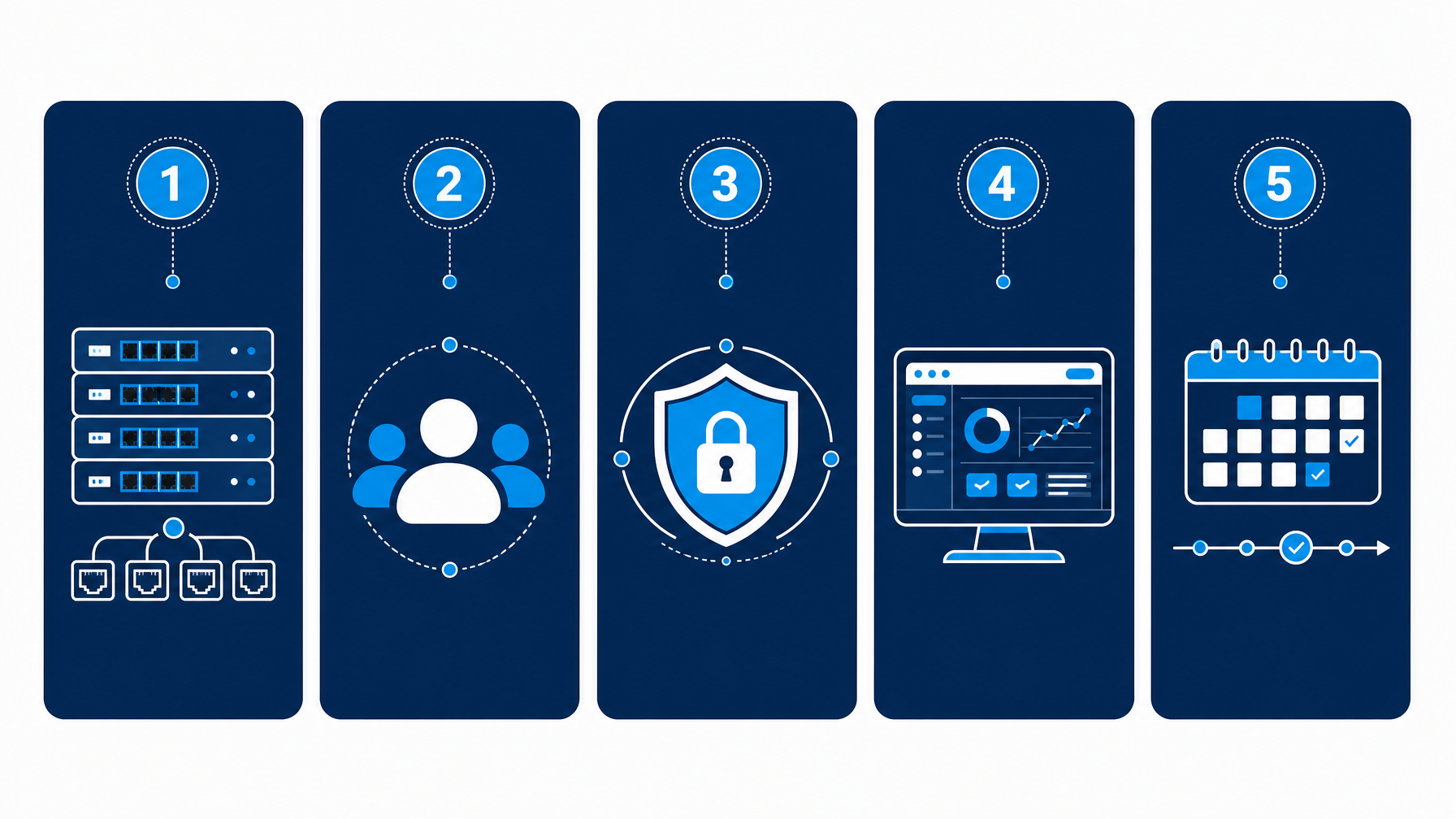
- This guide frames the decision as five questions, then maps your answers to specific platforms in a side-by-side comparison table.
- KVMSwitchTech carries multiple IP KVM brands in stock and offers pre-sales guidance at (216) 798-7530.

The Forcing Function: Raritan KX III End of Life
On June 5, 2026, Raritan formally announced that the Dominion KX III has reached End of Life (source). The KX III is replaced by the Dominion KX III G2. The End of Support (EOS) date for the KX III itself is December 31, 2028, meaning Raritan continues to issue firmware and security patches through that date, but no new hardware ships.
For data center managers with KX III units still in service, the practical calculus looks like this:
- Units still under warranty or support contracts remain operable through end of 2028.
- Any expansion of KX III capacity (adding ports, replacing failed units) requires moving to G2 or a different platform entirely.
- If your procurement cycle runs 18 to 24 months, the planning phase starts now.
What makes this replacement cycle more complex than a simple like-for-like swap is that the IP KVM market has changed substantially since many organizations bought into KX III. Platforms from Vertiv (Avocent), ATEN, Adder, and Austin Hughes now cover the same use cases with different tradeoffs on price, security certifications, management overhead, and rackmount integration. A direct KX III G2 upgrade is not automatically the right answer.
The KVM switch market as a whole stands at approximately $0.89 billion in 2026 and is projected to reach $1.02 billion by 2031, at a compound annual growth rate of 2.85% (Mordor Intelligence, July 2026). IP-enabled models represent the fastest-moving segment of that market, driven by hybrid work, distributed edge infrastructure, and tighter compliance requirements for out-of-band access audit trails.
What KVM Over IP Does (and What It Does Not Do)
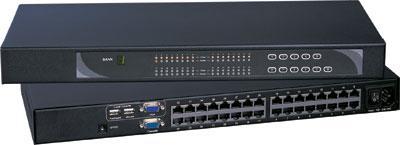
A KVM over IP device connects physical servers to your IP network at the keyboard, video, and mouse layer. Unlike software-based remote access (RDP, VNC, SSH), KVM over IP operates below the OS. You get BIOS-level access to a server that has never completed boot, a server mid-crash, or a server with no network stack at all. That out-of-band access is the core value proposition.
KVM over IP complements in-band management tools like iDRAC, iLO, and IPMI rather than replacing them. IP KVM takes over when the OS is unresponsive, the network stack is down, or firmware-level changes require keyboard input at POST. Both approaches address different failure scenarios and work best in combination.
Key capabilities to expect from any production-grade IP KVM platform in 2026:
- BIOS-level remote access via browser or dedicated client, without Java dependency (Java-free HTML5 clients are now the baseline expectation)
- Virtual media support to mount ISO images or USB drives remotely for OS re-installation or diagnostics
- AES encryption (128-bit minimum; FIPS 140-2 or 140-3 for government and regulated environments)
- Multi-user concurrency with session isolation and role-based access control
- Dual power and dual LAN on enterprise-class units for redundancy
- Full session audit logs covering all remote access events, for compliance reporting
Five Questions Before You Choose a Platform
1. How Many Servers Do You Need to Manage?
Port count drives the initial platform cut. Most enterprise IP KVM switches scale from 8 ports on the low end to 64 ports on the high end in a single chassis. Beyond that, cascading or matrix configurations extend coverage.
A practical threshold: if you manage fewer than 32 servers in a single rack environment, a mid-density 16 or 32-port unit covers the need cleanly. If you manage 64 or more servers across multiple racks, look at whether centralized management software (CommandCenter, DSView, or equivalent) makes more sense than running multiple standalone switches.
2. How Many Simultaneous Remote Users Do You Need?
This is the question that separates platforms more than port count does. Most 8 to 16-port IP KVM units support one or two concurrent remote users. Enterprise configurations scale to four or eight simultaneous users.
If your NOC team has three to four people who may need concurrent remote access during an incident response window, a single-user unit creates a bottleneck. Size for peak concurrent access, not average access.
3. What Security and Compliance Level Does Your Environment Require?
For commercial data centers, AES-128 encryption with role-based access and audit logging is typically sufficient.
For federal, DoD, or regulated financial environments, the requirements escalate:
- FIPS 140-2 compliance (cryptographic module validation from NIST) serves as the long-standing government baseline.
- FIPS 140-3 is the current NIST standard, and the Vertiv Avocent MergePoint Unity 2 is among the first IP KVM platforms to meet it (Vertiv, February 2026).
- Common Access Card (CAC) / Smart Card authentication is required in many DoD environments.
- Two-factor authentication and IEEE 802.1X support are mandatory in high-security deployments.
If your environment is subject to DISA STIGs, FISMA, or similar frameworks, verify the specific certification on the vendor's current datasheet. Platform firmware updates can change compliance status.
4. Do You Need Centralized Management Software?
Standalone IP KVM switches are manageable through a built-in web interface. If you have five or more switches across multiple sites, centralized management software changes the operational model.
Raritan's CommandCenter Secure Gateway (CC-SG) aggregates access across all KX III and KX III G2 units into a single pane. Vertiv's DSView (now MP1000-based) does the same for Avocent hardware. ATEN's CCKM software serves the KE-series matrix. These platforms are proprietary to their respective hardware ecosystems, so the management platform choice locks in the hardware platform choice.
If you want to avoid ecosystem lock-in at the management layer, look at platforms that expose REST APIs or integrate with DCIM tools independently.
5. What Is Your Actual Replacement Timeline?
The KX III EOS date of December 31, 2028 is real, but procurement and deployment cycles for data center hardware typically run 6 to 18 months. If your organization runs annual budgeting cycles, the window to include replacement in FY2026 or FY2027 planning is now.
Consider:
- Which KX III units are oldest and most likely to fail before 2028?
- Is your current CIM (Computer Interface Module) cable plant compatible with the KX III G2, or does a platform change require recabling?
- Does the replacement platform support your current server connection types (DVI, HDMI, DisplayPort, USB-C)?
IP KVM Platform Comparison: Five Platforms Side by Side
The table below covers the five platforms most relevant to organizations replacing Raritan KX III deployments in 2026. Specifications reflect current-generation product lines as of July 2026.
| Specification | Raritan KX III G2 | Vertiv Avocent MPU 2 | ATEN KN Series | Adder AL-IPEPS | Austin Hughes Cyberview IP |
|---|---|---|---|---|---|
| Max ports (single chassis) | 64 | Scalable (cascadable to 256) | 8 to 40 | 1 per unit | 8 (integrated) |
| Max concurrent IP users | Up to 8 | Varies by model | 1 to 2 | 2 (DA model) | 1 |
| Video support | DVI, HDMI, DisplayPort, VGA, USB-C | VGA, USB | Cat5/6 multi-interface | VGA, USB | VGA integrated |
| Resolution | Up to 1920×1200 (1080p in some models) | High resolution VGA | 1920×1200 | 1920×1200 | 1280×1024 |
| Java-free client | Yes (HTML5 + .NET) | Yes (HTML5) | Yes (HTML5) | Yes (VNC-based) | Yes |
| Virtual media | Yes | Yes | Yes | Yes | Yes |
| FIPS compliance | FIPS 140-2 | FIPS 140-3 | Not certified | Not certified | Not certified |
| CAC / Smart Card | Yes | Yes | No | No | No |
| Dual power / LAN | Yes (all models) | Yes | Select models | No | No |
| Centralized management | CommandCenter SGW | DSView / MP1000 | CCKM (KE series) | Standalone | Standalone |
| Price tier | Premium enterprise | Premium enterprise | Mid-market | Entry to mid | Mid (integrated value) |
| Direct KX III replacement | Yes (drop-in CIM compatibility) | No (recabling required) | No (recabling required) | No (per-server model) | No |
| Form factor | 1U rack | 1U rack | 1U rack | External dongle | Integrated rackmount LCD |
Platform Deep Dives
Raritan Dominion KX III G2: The Like-for-Like Replacement
The KX III G2 is Raritan's direct successor to the KX III. It retains the same CIM cabling standard as the KX III, which means most existing cable plants remain usable. That compatibility alone removes a significant migration cost for large deployments.
Key improvements over the original KX III include an updated HTML5 KVM client (the Active KVM Client and HTML KVM Client from the KX III both carry forward) and continued support for Raritan's CommandCenter Secure Gateway at scale. The security posture carries forward the KX III's FIPS 140-2, AES, and CAC framework.
The KX III G2 is the lowest-risk path for organizations that are satisfied with the KX III feature set and want to preserve their existing cable investment. It is also the correct path for teams whose management workflows are built around CommandCenter.
The tradeoff: the KX III G2 carries forward FIPS 140-2 rather than moving to 140-3, and the price tier stays at the premium enterprise level. If your procurement team is questioning whether a less expensive platform can meet your actual requirements, the comparison table above is the right starting point.
Vertiv Avocent MergePoint Unity 2: The FIPS 140-3 Option
Vertiv introduced the Avocent MergePoint Unity 2 in February 2026 as its next-generation IP KVM platform (Vertiv press release). It is the first IP KVM platform in this class to achieve FIPS 140-3 certification, positioning it directly for DoD and federal civilian agency use cases where 140-3 compliance is either mandated or anticipated.
Feature highlights from Vertiv's announcement:
- FIPS 140-3 cryptographic standards with CAC and smart card authentication
- Remote UEFI and BIOS firmware interface access
- Browser-based interface with local hotkey support
- Compact design that pairs with the Avocent Local Rack Access (LRA) Console in a single rack unit
- Integration with the Avocent MP1000 Management Platform and DSView for enterprise-wide control
The MergePoint Unity 2 is not a CIM-compatible replacement for Raritan hardware. Organizations moving from KX III to MergePoint Unity 2 need to replan their server connection cabling. For shops that are already planning a full refresh and want the current compliance high-water mark, it is the strongest option in the table.
ATEN KN Series: Mid-Market Performance at Lower Cost
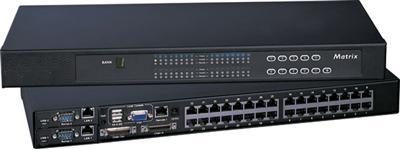
ATEN's KN series (KN4140VA, KN9116V, and related models) covers the 8 to 40-port range with a browser-based, Java-free interface and Cat5/6 cable connections. Test labs, university IT departments, and commercial colocation facilities run ATEN's KN series in volume, primarily in environments where FIPS certification is not a requirement.
The KN series supports local plus remote access in a single chassis, virtual media, and multi-platform server connections via its multi-interface CIM options. Centralized management for larger KN deployments is available through ATEN's CCKM software.
For organizations replacing a KX III at a site where federal compliance requirements do not apply and where budget is a primary constraint, the ATEN KN series represents a capable alternative at a lower capital cost. The tradeoff: no FIPS certification, and a smaller maximum concurrent user count than the KX III G2's top-end configurations.
Adder AL-IPEPS: Per-Server IP Access Without a Central Switch
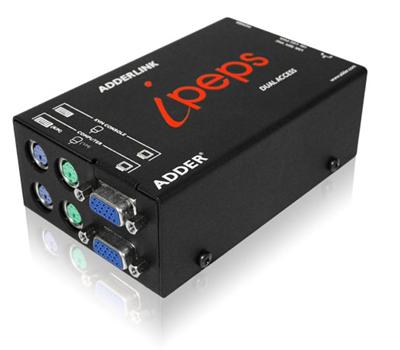
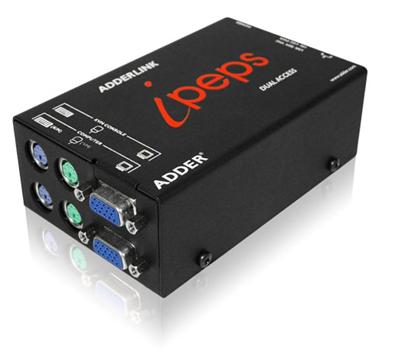
The Adder AL-IPEPS takes a different architectural approach. Rather than a centralized switch with multiple server ports, the AL-IPEPS is a palm-sized unit that connects to a single server and provides KVM-over-IP access via Real VNC client software. The dual-access DA variant supports two concurrent users.
This model fits specific use cases well:
- Edge or branch sites where you have a small number of critical servers and a centralized switch is not justified
- Environments where you want IP access to specific high-value servers (domain controllers, HSMs) without running all servers through a shared switch
- Hybrid deployments where most servers are managed via in-band tools, but a handful of servers require persistent out-of-band access
The AL-IPEPS does not replace a multi-port KX III for a 32 or 64-server rack, but it is a cost-effective complement to a larger infrastructure refresh where some servers need dedicated IP access.
Austin Hughes Cyberview IP: Integrated Rackmount LCD with IP KVM
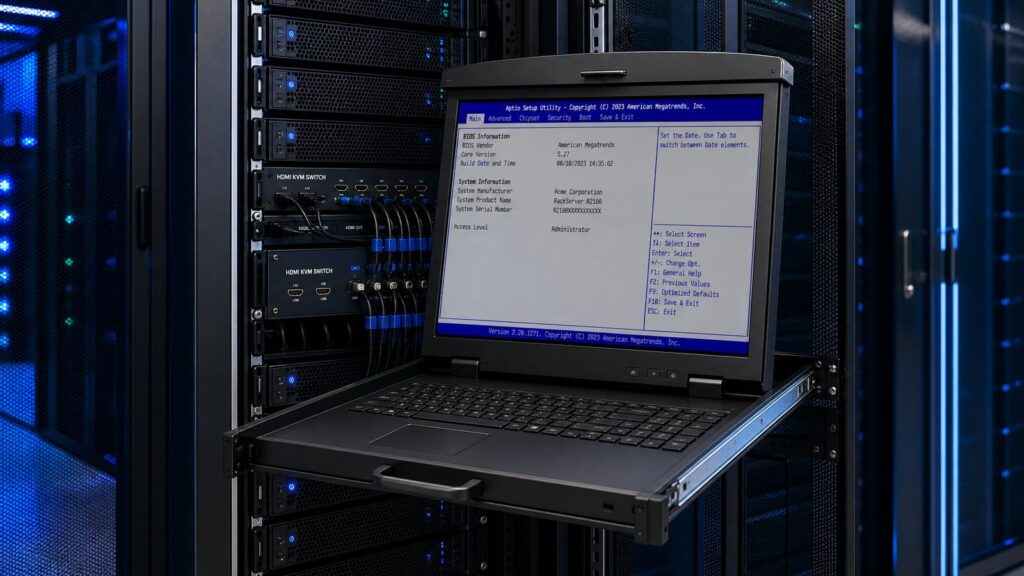
For organizations that pair their IP KVM with a rackmount LCD console drawer, Austin Hughes offers integrated units that combine the LCD panel, keyboard, touchpad, and an 8-port KVM over IP switch in a single 1U or 2U rackmount form factor. The Cyberview RKP117-IP802e is one example, combining a 17-inch rackmount display with an 8-port USB and PS/2 combo KVM over IP switch.
This integrated approach removes a separate appliance from the rack, reduces cabling, and provides both local-at-the-rack and remote IP access from a single unit. High-density deployments will hit the 8-port hard limit quickly, but for a server room with a single console drawer position and a modest server count, the value per rack unit is strong.

Migration Path: Moving Off KX III Without Disruption
A KX III replacement does not have to be a single cutover event. Most data center teams run a phased migration:
Phase 1: Inventory and triage. Document which KX III units are oldest, which have the highest utilization, and which serve environments with specific compliance requirements. Categorize by replacement urgency.
Phase 2: Platform selection. Use the five questions above to map each site or environment to a platform. A government site may require MergePoint Unity 2 for FIPS 140-3. A commercial colocation rack may move to the ATEN KN series. A direct enterprise replacement stays on KX III G2.
Phase 3: Cable plant assessment. For like-for-like KX III G2 replacements, existing CIM cables remain compatible. For any other platform, plan recabling. Budget time and labor accordingly.
Phase 4: Staged rollout. Replace units in one rack or one site first. Validate that the new platform integrates with your monitoring tools, ticketing system, and access control policies before a full deployment.
Phase 5: Management platform transition (if applicable). If you plan to exit the CommandCenter ecosystem for a different management platform, treat this as a separate workstream. CommandCenter data (device inventory, access policies, session logs) does not export automatically to competing platforms.
The EOS date of December 31, 2028 gives most organizations sufficient runway for a phased approach. The constraint is procurement lead times and internal approval cycles, not the EOS deadline itself.
Frequently Asked Questions
What is KVM over IP?
KVM over IP is a hardware technology that connects to a server's keyboard, video, and mouse interfaces and transmits those signals over an IP network. It provides out-of-band, BIOS-level access to a server regardless of the server's operating system state or network connectivity. A data center manager can power-cycle a crashed server, access BIOS settings, or reinstall an OS remotely using a KVM over IP device.
What is the difference between KVM over IP and a standard KVM switch?
A standard KVM switch centralizes physical control of multiple servers from a single keyboard, monitor, and mouse at the rack. Access is local only. A KVM over IP switch adds a network interface so that the same control is available remotely over LAN, WAN, or internet. Both provide hardware-level access below the OS; the KVM over IP variant removes the requirement for physical presence.
What replaced the Raritan KX III?
Raritan formally replaced the Dominion KX III with the Dominion KX III G2, effective June 5, 2026. The G2 retains compatibility with existing KX III CIM cabling and continues to integrate with CommandCenter Secure Gateway. The KX III itself reaches End of Support on December 31, 2028, after which Raritan no longer issues firmware or security updates for it.
Does KVM over IP require Java?
Current-generation IP KVM platforms from Raritan, Vertiv, ATEN, and others are Java-free. Browser-based HTML5 clients have replaced Java applet clients as the standard access method across the industry. Some older platforms (including older KX III firmware versions) supported Java-based VKC clients alongside the newer HTML clients. If you are running an older KX III firmware version, check whether the transition to a Java-free client is complete on your configuration before migration planning.
How many users can access a KVM over IP switch simultaneously?
It depends on the platform and model. Single-user models allow one remote session at a time. Mid-range enterprise models typically support 2 to 4 concurrent users. High-end models like the Raritan KX III G2 in its 8-user configuration support up to 8 simultaneous remote sessions. Size concurrent user access for the peak you expect during major incident response, not average day-to-day access.
Is KVM over IP secure enough for government environments?
For federal and DoD use cases, the security baseline requires FIPS 140-2 or 140-3 validated cryptographic modules, CAC or smart card authentication, AES encryption, two-factor authentication, and detailed session audit logging. The Raritan KX III G2 meets FIPS 140-2. The Vertiv Avocent MergePoint Unity 2 meets the newer FIPS 140-3 standard as of its February 2026 release. Standard commercial IP KVM platforms without FIPS certification are not appropriate for classified or CUI environments.
What is the End of Support date for the Raritan KX III?
Raritan's End of Support (EOS) date for the Dominion KX III is December 31, 2028. After that date, Raritan will no longer provide firmware updates, security patches, or technical support for the KX III platform. Hardware replacement decisions made now can be staged to align with this deadline.
Can I mix KX III G2 units with existing KX III units in the same CommandCenter environment?
Yes. Raritan's CommandCenter Secure Gateway supports both KX III and KX III G2 units in the same management environment. This allows a phased migration where G2 units replace KX III units incrementally without requiring a full fleet cutover before CommandCenter can function.
The Bottom Line
The Raritan KX III EOL creates a real but manageable replacement decision. The key variables are port count, concurrent user requirements, FIPS compliance level, and whether you want to stay in the Raritan ecosystem or take the opportunity to evaluate alternatives.
For most enterprise data centers replacing KX III gear directly, the KX III G2 is the lowest-risk path because CIM cable compatibility preserves a significant infrastructure investment. For federal and government environments with FIPS 140-3 requirements, the Vertiv Avocent MergePoint Unity 2 is the current leader. For commercial or SMB environments where compliance requirements are less stringent and budget is a primary constraint, the ATEN KN series offers capable IP KVM functionality at a lower price point.
For distributed deployments, per-server IP access via units like the Adder AL-IPEPS, or integrated rackmount LCD plus IP KVM solutions from Austin Hughes can fill specific gaps that a central switch does not address efficiently.
KVMSwitchTech carries all of these platforms in stock and has been a specialized data center console reseller for more than 15 years. Before you finalize a replacement spec, call our pre-sales team at (216) 798-7530 to match your port count, user concurrency, and compliance requirements to the right platform, and to confirm in-stock availability before your procurement deadline.
Related Reading
- HDMI KVM switch buyer's guide: port count, 4K & EDID explained — if you are spec-ing a local KVM console to pair with your IP KVM deployment, this guide covers port count, EDID emulation, USB vs. PS/2, and resolution considerations for HDMI KVM switches.
- Browse KVM Drawers and Console Drawers — rackmount console drawer options to pair with your KVM over IP switch at the rack.
- IP Cat5 KVM Switch + LCD Keyboard Units — integrated 1U rackmount LCD keyboard units with built-in IP Cat5 KVM switches, combining local and remote access in a single form factor.
Sources:
- Raritan Dominion KX III EOL Announcement, June 5, 2026
- Raritan KVM End of Life Information
- Vertiv Avocent MergePoint Unity 2 Press Release, February 19, 2026
- Mordor Intelligence: KVM Switch Market Size and Growth Report, July 2026
- ATEN KVM over IP Switch Product Line
- Vertiv Avocent KVM-over-IP Product Overview