HDMI Extender PoE vs Cat6 HDBaseT vs Fiber for 4K60 Racks (2026)
#TLDR
A 4K60 HDMI run is a distance, power, and EMI problem, not a cable brand problem. Treat HDMI extender PoE (often sold as PoC or PoH on the Cat pair) as the power story: one PSU at the rack, receiver at the display. Treat Cat6 HDBaseT as the copper distance story: about 40 m at 4K on Class B / HDBaseT-Lite, about 70 m at 4K on Class A, and 100 m at 1080p or on some HDBaseT 3.0 4K60 4:4:4 kits. Treat HDMI over fiber as the isolation story: OM3 multimode for in-building hundreds of meters, single-mode LC for 10 km campus or SCIF runs, no copper ground loop, and no RF pickup in the cable plant.
If the display is inside 40 m of Cat6a, a 4K60 HDMI extender on HDBaseT-Lite with PoC is usually enough. If the run is 40 to 70 m and you need 4K60 4:4:4, specify Class A (or HDBaseT 3.0) and a real PoE/PoH budget, not a wall wart at both ends. Past 100 m, through EMI, or into a TEMPEST/SCIF boundary, skip copper. Fiber is the RFQ line item.
Call (216) 798-7530 if you need a SKU matched to measured length, chroma, and power class.
What this comparison is (and is not)
This article is for rack and control-room HDMI video extension: source in a rack, display on a wall, in a console, or in another room. It is not a KVM-over-Cat5 vs KVM-over-IP chooser. Those paths mix USB HID with video. Here the payload is HDMI (plus IR, RS-232, and sometimes USB on a KVM extender), and the decision is copper HDBaseT vs fiber vs a cheap single-pair HDMI extender that happens to ride PoE.
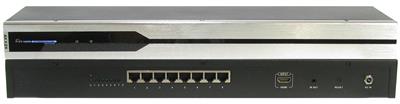
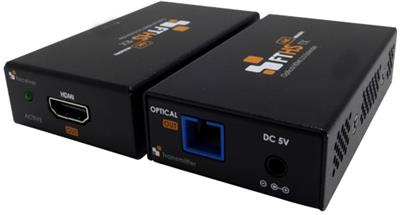
A Cat5 HDMI extender in 2026 catalogs is almost always HDBaseT or HDBaseT-Lite on Cat5e/6/6a, not analog HDMI-over-UTP from 2012. Read the chipset class and the 4K distance, not the marketing word "Cat5." Browse the broader Cat5 extenders set when the run is copper and the payload is HDMI, DVI, or VGA. For PoE-powered copper, start with the HDMI Extender Power over Ethernet PoE up to 230ft with bi-directional IR and RS232. Long Cat runs without PoE often map to the HDMI Extender over single Cat5e/6 cable 3D Ready with Infra Red and RS232 control up to 330ft. One-to-many walls use a UHD 4K@30Hz 1×4 HDMI Extender Splitter upto 394 ft or the UHD 4K@30Hz 1×8 HDMI Extender Splitter upto 394 ft, not a second TX/RX hop.
Distance bands that actually show up in RFQs
Use four bands. Spec writers who skip this step buy a 70 m Class A box for a 35 m 4K60 4:4:4 wall and then fight chroma 4:2:0 surprises.
| Band | Typical media | 4K60 reality | When it fails |
|---|---|---|---|
| Up to ~40 m (131 ft) | Cat6a HDBaseT-Lite / Class B, or HDBaseT 3.0 lite | 4K at 35 to 40 m is the published ATEN VE801 pattern: 4K @ 35 m on Cat5e/6, 40 m on Cat6a; 1080p @ 60 to 70 m | Cheap Cat5e, tight bends, unshielded runs next to VFDs |
| ~40 to 70 m (131 to 230 ft) | Cat6/6a Class A HDBaseT, many 4K60 4:4:4 / HDR kits | Liberty DigitaLinx-class HDMI 2.0 HDBaseT sets quote 4K60 4:4:4 / HDR 18G to 70 m with two-way PoC. Panasonic HDBaseT RX certification lists 4K max 70 m and 1080p max 100 m | 4K60 4:4:4 on Lite class; mixed Cat5e leftover plant |
| ~70 to 100 m (230 to 328 ft) | Cat6 HDBaseT Class A at 1080p, or HDBaseT 3.0 4K60 4:4:4 kits | Lindy-class Cat.6 HDMI 4K60 HDBaseT KVM extenders quote 100 m for 3840×2160@60Hz 4:4:4 8-bit in HDBT mode. WyreStorm MXV 4K60 HDBaseT matrices sit in the 70 m copper band and hand off to OM3 fiber when copper ends | EMI, PoE brownouts, HDCP handshake drops |
| Hundreds of meters to 10 km | OM3 multimode in-building; single-mode LC campus | OREI UHD-FOHD10-K class fiber HDMI extenders: HDMI 2.0, HDCP 2.2, 4K@60 Hz to 10 km on fiber. WyreStorm lists 18 Gbps 4K HDR OM3 multimode fiber extenders with HDCP 2.2 | Wrong fiber type (OM1 vs OM3 vs OS2), dirty LC, no local power at the far end |
Rule: publish the chroma and the cable category with the meters. "4K60 to 70 m" without 4:4:4 vs 4:2:0 is not a spec.

HDMI extender PoE, PoC, and PoH: do not mix the three on the RFQ
Buyers search HDMI extender PoE. Datasheets use three labels:
- PoE (IEEE 802.3af/at/bt): Ethernet-style DC on the pair, often when the link is AV-over-IP or a switch injects power. Budget Class 0 to 4 (af/at) or Type 3/4 (bt) against the injector, not against a random 5 V brick.
- PoC (Power over Cable): HDBaseT-world shorthand. One PSU on TX or RX feeds the other unit over the same Cat6. Liberty's 70 m HDMI 2.0 set is explicit: "2 way flexible PoC."
- PoH (Power over HDBaseT): HDBaseT Alliance power profile. ATEN's VE802 is HDMI HDBaseT-Lite Extender with PoH (4K@40m) (HDBaseT Class B). Newer True 4K HDBaseT 3.0 transceivers (ATEN VE1843A class) quote PoH at True 4K @ 100 m.
For a data center rack, PoC/PoH is the usual win: PSU lives in the rack PDU, receiver hangs behind a wall display with no outlet. For a control room with a PoE switch already in the path, confirm the extender is real IEEE PoE, not HDBaseT PoH on a non-Ethernet PHY. Those two do not share a midspan injector.
Power checklist
- Count watts at 4K60 with USB/KVM loaded, not idle HDMI.
- If the far end has no AC, require PoC/PoH and a locking DC jack on the powered end.
- Do not daisy-chain PoC through a cheap patch panel with 24 extra punch-downs. Voltage drop kills HDCP.
- In a SCIF, local power at both ends is often mandatory because powered copper through the boundary is a TEMPEST discussion, not an AV discussion.
Dexon's 2025 explainer on 4K60 HDBaseT with PoE is a fair plain-language overview of why integrators want one-cable power plus video. Use it as orientation, then lock the RFQ to a class, a wattage, and a measured length.
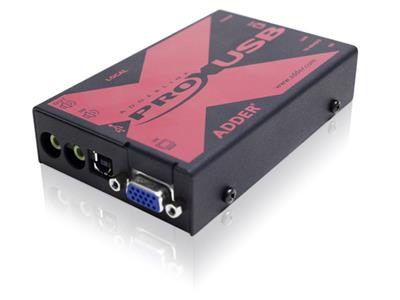
If USB HID must ride the same Cat plant, that is a KVM extender, not a video-only pair. An example SKU is the Icron EL5363 HDMI USB KVM Extender. HID plus video still follows the same distance and EMI table.
HDBaseT class, 5Play, and 4K60 chroma
HDBaseT puts uncompressed (or lightly processed) HDMI, Ethernet, control, USB, and power on one Cat cable. Class is the distance/bandwidth envelope:
- Class B / HDBaseT-Lite: ATEN VE801: HDMI 3D, Deep Color, 4K; HDCP 2.2; 4K @ 35 m Cat5e/6 or 40 m Cat6a; 1080p @ 60 to 70 m; max data rate 10.2 Gbps. WyreStorm EX-35-H2: 35 m 4K60, HDBaseT Class A on that SKU with 18 Gbps encoding and ~10 μs latency. Read Class A vs B on the exact SKU. Marketing "Lite" almost always means the 40 m 4K band.
- Class A: 70 m 4K / 100 m 1080p pattern that shows up on certified displays (Panasonic HDBaseT RX).
- HDBaseT 3.0: Uncompressed HDMI 2.0, 18 Gbps, 4K60 4:4:4 toward 40 m on lite transceivers and 100 m on full Class A 3.0 kits.
WyreStorm 4K60 8×8 HDBaseT matrix kits assume copper HDBaseT out to the published meters, then optical HDMI to 50 m/164 ft or OM3 fiber beyond that. That hybrid is how control rooms actually grow: copper to the wall, fiber to the next building. See the 8×8 and 16×16 HDMI Matrix for Control Rooms: EDID, 4K60, and Failover (2026) when the run starts at a matrix, not a single TX.
Latency on HDBaseT point-to-point is microseconds (WyreStorm quotes 10 μs on EX-35-H2). That matters next to a KVM drawer or a broadcast switcher. AV-over-1G-IP 4K60 is a different animal: more hops, more encode, more switch QoS. SC&T's SwiftSync write-up is an example of 4K60 over 1G distribution, not a substitute for HDBaseT point-to-point.
Do not treat a 10.2 Gbps Lite path as 4K60 4:4:4. That is the same 4K30-class HDMI envelope we already document on modular matrix SKUs.
HDMI over fiber: when copper is the wrong plant
Specify fiber when any of these are true:
- Measured path is over 100 m of copper equivalent.
- The cable tray shares VFDs, radio, or high-current busway (EMI).
- The run crosses a SCIF, TEMPEST, or galvanic isolation boundary.
- You need 4K60 4:4:4 with HDR and you refuse chroma 4:2:0 bargains.
- Campus or broadcast: 10 km single-mode is a catalog item, not a custom build (OREI UHD-FOHD10-K).
OM3 multimode is the in-building default for 18 Gbps 4K HDR HDMI fiber extenders with HDCP 2.2 and bidirectional IR or RS-232. OS2 single-mode is the campus default. Do not mix them on one TX/RX pair.
Fiber does not carry PoE. Budget local 5/12 V at both ends, or a rack PSU plus a remote brick. That is the trade: you lose one-cable power and you gain EMI immunity, distance, and no ground loop between buildings.
Active optical HDMI cables (ATEN VE7810xx class) cover 10 to 30 m True 4K without a box pair. Those are jumper replacements, not tray runs. Keep them out of the 70 m HDBaseT RFQ. For tray and campus lengths, specify a fiber optic extender instead of stacking copper hops. Short HDMI jumpers at each end still belong on the HDMI cables line, not inside the Cat6 run.

EDID, HDCP, and why 4K60 works on the bench then fails in the rack
A 4K60 HDMI extender is only as stable as the handshake.
EDID. Lock a copy of the display EDID in the transmitter when the display is a video wall processor or a matrix. Passing raw EDID through 70 m of Cat6a plus a patch field is how you get 4K30 instead of 4K60. If the far display is 1080p, force 1080p EDID at the source so the GPU does not offer 4K the extender cannot carry in 4:4:4.
HDCP. ATEN VE801 is HDCP 2.2 compatible. OREI fiber kits claim HDCP 2.2 on HDMI 2.0. A source that insists on HDCP 2.3 through a 2.2-only extender will black-screen. Write HDCP version on the RFQ next to the meters.
Chroma. 4K60 4:2:0 at 10.2 Gbps is how Lite-class boxes advertise "4K60." 4K60 4:4:4 needs 18 Gbps HDMI 2.0 and a Class A or HDBaseT 3.0 path. Liberty's category copy is explicit: 4K60 4:4:4 and HDR (Dolby Vision, HDR10) to 40 m on some sets, 4K30 or below farther. If the wall is a medical or GIS 4K monitor, 4:4:4 is not optional.
CEC, IR, RS-232. CEC over 70 m is flaky. Spec IR or RS-232 for display control. Most HDBaseT and fiber kits already include both.
Copper vs fiber vs PoE: decision table for racks, SCIFs, broadcast
| Constraint | HDMI extender PoE / PoC HDBaseT | Cat6 HDBaseT Class A (no PoE) | HDMI over fiber |
|---|---|---|---|
| 4K60 inside 40 m, display has no AC | First choice | Works, extra brick | Overkill |
| 4K60 4:4:4 at 50 to 70 m | Only if the SKU is Class A / 18G with PoC | First choice on Cat6a | If EMI is already a problem |
| 1080p at 100 m | Possible on Class A | Typical | Optional |
| 4K60 past 100 m | No | No | Yes |
| Shared tray with VFDs / radio | Risky | Risky | First choice |
| SCIF / TEMPEST copper ban | Usually no | Usually no | Yes, with local power |
| Ground loop between buildings | Common failure | Common failure | Immune |
| KVM (HDMI + USB HID) on the same Cat6 | HDBaseT KVM SKUs (Lindy 100 m class) | Same | Fiber KVM SKUs to 10 km |
| Installer skill | RJ45, test with a certifier | Same | Fiber termination or pre-term LC |
Kramer still ships mixed HDMI / HDBaseT / fiber matrices for rooms that need all three in one chassis (Kramer VS-34FD). For a two-point rack-to-wall run, a matrix is overhead. Buy a TX/RX pair, then add an HDMI matrix switch when you have more than two sources. If the outputs stay on Cat6 HDBaseT, a Cat5e/Cat6 HDBaseT HDMI matrix keeps the same PHY to the wall. Larger rooms often land on an 8×8 HDMI matrix switch or a 16×16 HDMI matrix switch. Video-wall sinks belong on a video wall system, not on a single extender output. Related routing lives under video matrix switches. If a format conversion is required before the TX, use a video converter.

Cable plant that does not lie to the extender
HDBaseT is not Ethernet. It uses RJ45 and Cat6, and it hates bad pairs.
- Prefer Cat6a U/FTP or the OEM HDBaseT cable (ATEN 2L-2910 Cat 6, 2L-29330 Cat 6A for HDBaseT 3.0).
- Shield continuity to chassis at one end only if you are fighting EMI; otherwise you build a ground loop.
- Do not put the HDBaseT link through a network switch unless the product is AV-over-IP.
- Certify the permanent link. A 70 m "pass" on a cheap tester that ignores NEXT is how 4K60 dies on day two.
- Keep HDMI copper jumpers under 3 m at each end (ATEN VE801 max HDMI distance is 3 m).
A Cat5 HDMI extender on leftover Cat5e can still do 1080p. It is a poor 4K60 4:4:4 plant. If the only pairs in the wall are Cat5e, either re-pull Cat6a or go fiber.
One-to-two or one-to-four copper splits without a matrix: the 2 Port UTP HDMI Splitter Extender Transmitter and the 4-Port UTP HDMI Splitter Extender Transmitter. Local fan-out without distance uses an HDMI splitter. Local source pick without distance uses an HDMI switch. Related copper splitters sit in video splitters. Related local switches sit in video switches.
Worked examples
Example A: 32 m, 4K60 wall in a NOC. Cat6a is already in the tray. Display has no outlet. Specify HDBaseT-Lite or HDBaseT 3.0 lite, 4K @ 40 m, PoC/PoH from the rack, HDCP 2.2, locked EDID. This is the core HDMI extender PoE search intent.
Example B: 62 m, 4K60 4:4:4 GIS monitor. Lite class will chroma-subsample or drop to 4K30. Specify Class A / 18G HDBaseT, Cat6a, PoC if the wall has no AC. Confirm HDR only if the panel actually uses it.
Example C: 180 m between two data halls, EMI from UPS busway. Copper HDBaseT is out. OM3 or OS2 HDMI fiber, local PSUs, HDCP 2.2, RS-232 for the display. If USB KVM is in scope, buy a fiber KVM extender, not a video-only pair plus a USB gadget.
Example D: SCIF display, source in the unclassified rack. Fiber through the waveguide or approved penetration. No PoE copper through the boundary. Coordinate with the TEMPEST CTTA before the AV vendor picks a chipset.
FAQ
Is HDMI extender PoE the same as HDBaseT?
Often in search results, no on the wire. PoE is IEEE power. HDBaseT is the AV PHY. Many HDBaseT kits use PoC or PoH on the same Cat6. An AV-over-IP encoder may use true PoE from a switch. Read the power line of the datasheet.
Can a Cat5 HDMI extender do 4K60?
On Cat5e, expect 1080p farther than 4K, and 4K often as 4:2:0. ATEN Lite numbers are 4K @ 35 m Cat5e/6 and 40 m Cat6a. For 4K60 4:4:4, plan Cat6a and Class A or HDBaseT 3.0.
When does HDMI over fiber beat HDBaseT?
Past 100 m, in EMI, across buildings, or when copper is banned. Fiber kits at 4K@60 Hz to 10 km are catalog products. You give up PoE and you gain isolation.
Do I need HDBaseT 3.0?
If the source is HDMI 2.0 18 Gbps (4K60 4:4:4, HDR), yes or you need another 18G path (fiber, short active optical). HDMI 1.4 10.2 Gbps Lite kits are fine for 4K30 or 4K60 4:2:0.
What about AV over IP instead of a point-to-point extender?
Use it when many sources and many displays share a 10 GbE fabric. For one rack to one wall, a TX/RX HDBaseT or fiber pair is simpler, cheaper, and lower latency.
Spec block you can paste into an RFQ
- Resolution and chroma: 3840×2160@60 4:4:4 8-bit (or 4:2:0 if that is acceptable).
- Measured permanent-link length and cable category (Cat6a / OM3 / OS2).
- HDCP 2.2 or 2.3.
- Power: PoC/PoH from rack, IEEE PoE class, or local PSU both ends.
- Control: IR, RS-232, or none. CEC off unless proven.
- EDID: copy from display / fixed 4K / fixed 1080p.
- Environment: EMI, SCIF, outdoor, 0 to 50 C.
- Mount: rear-rack kit or display-back.
Closing
Pick the band first. Inside 40 m with no far-end AC, an HDMI extender PoE (PoC/PoH HDBaseT-Lite or 3.0 lite) on Cat6a is the default 4K60 rack run. From 40 to 70 m at true 4K60 4:4:4, step up to Class A HDBaseT and a real power budget. At 100 m, copper is 1080p or HDBaseT 3.0 4K, not a hope. Past that, or through EMI or a SCIF, HDMI over fiber is the path, with local power and the right fiber type.
KVMSwitchTech specs this mix for racks, control rooms, and government rooms every week. Call (216) 798-7530 with length, chroma, and whether the wall has power. We will match a copper HDBaseT pair or a fiber pair instead of a consumer HDMI stick that dies at 4K60.