TLDR
Choosing the right server keyboard comes down to three form factors: standalone USB keyboards placed on pull-out shelves, dedicated 1U rackmount keyboard drawers, and KVM-integrated LCD console drawers that bundle a keyboard, display, and multi-server switching into a single rack unit. Standalone keyboards cost the least upfront but waste rack space and create cable clutter. Rackmount keyboard drawers reclaim that space while keeping a familiar full-size typing surface. KVM-integrated consoles consolidate the keyboard, monitor, and server switching into one 1U package, making them the most space-efficient option for racks that serve multiple machines. The right choice depends on your rack density, how many servers each operator needs to reach, and whether your facility enforces physical security policies that restrict loose peripherals.
Table of Contents
- Why Your Server Keyboard Choice Matters More Than You Think
- Form Factor 1: Standalone USB Keyboards
- Form Factor 2: 1U Rackmount Keyboard Drawers
- Form Factor 3: KVM-Integrated LCD Console Drawers
- Head-to-Head Comparison Table
- Decision Matrix by Environment Type
- Key Selection Criteria for IT Procurement
- Common Mistakes When Specifying Server Keyboards
- Conclusion
Why Your Server Keyboard Choice Matters More Than You Think
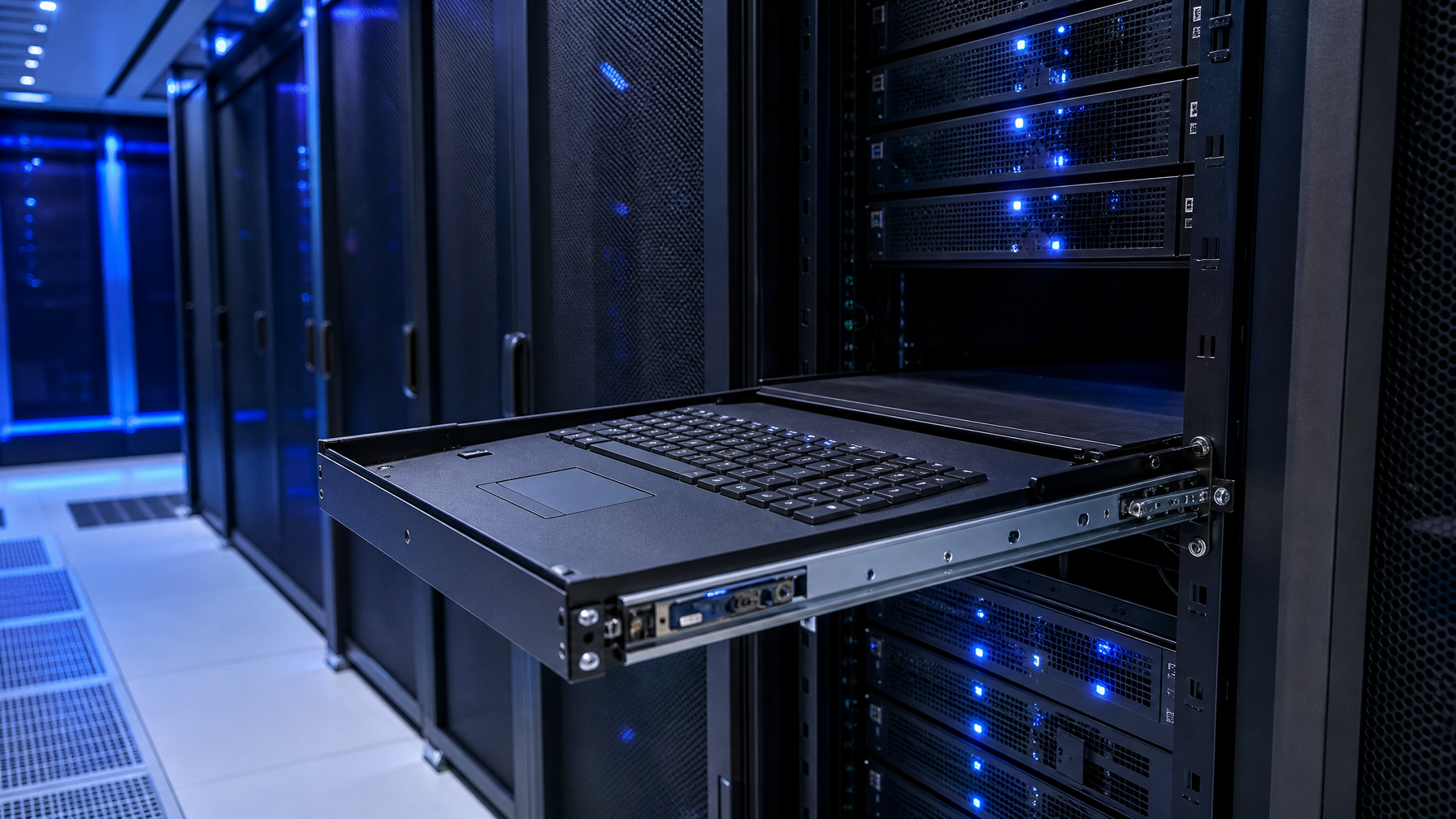
A server keyboard is easy to overlook during a data center buildout. Most procurement checklists focus on compute, storage, networking, and cooling. The keyboard and console hardware get a single line item, if they appear at all.
That oversight creates problems after deployment. A loose USB keyboard balanced on a rack shelf takes up 2U or more of usable space when you include the shelf and cable routing. Multiply that across 20 cabinets and you have lost 40U of capacity. In a colocation facility billed per rack unit, that waste shows up directly on the monthly invoice.
Beyond space, the keyboard form factor affects physical security compliance, mean time to diagnose hardware faults, and the ergonomic experience of on-site technicians who may spend hours performing firmware updates, BIOS configurations, or emergency troubleshooting during outages.
This guide breaks down the three mainstream server keyboard form factors, compares them across the criteria that matter to IT procurement and operations teams, and provides a decision matrix to match each form factor to specific deployment environments.
Form Factor 1: Standalone USB Keyboards
A standalone server keyboard is any standard USB keyboard (full-size, tenkeyless, or compact) placed inside or on top of a server rack. The keyboard connects directly to a single server's USB port and typically sits on a pull-out shelf or a sliding keyboard tray.
How It Works
The keyboard plugs into a server's front or rear USB port. A separate monitor (often a portable LCD or a wall-mounted display) provides video output. The operator manually moves the keyboard and monitor cables between servers as needed, or walks to a shared crash cart that holds both peripherals on a wheeled stand.
Strengths
- Low upfront cost. A basic USB keyboard costs under $30. Even a quality mechanical model with a quiet switch profile runs under $150.
- Familiar layout. Technicians use the same keyboard layout they use at their desks. No learning curve, no adapting to a compressed notebook-style key arrangement.
- Easy replacement. If a keyboard fails, any USB keyboard from a supply closet works as a drop-in substitute.
Weaknesses
- Rack space waste. A fixed or sliding shelf to hold the keyboard occupies 1U to 2U. Add a monitor shelf and the total footprint reaches 4U or more.
- Cable management burden. Loose USB and video cables between the keyboard, monitor, and server create tripping hazards in raised-floor environments and violate cable management policies at facilities that follow TIA-942 or Uptime Institute guidelines. Proper KVM switch cables help reduce clutter, but the fundamental problem of loose peripherals remains.
- Single-server access. Each keyboard connects to one server at a time. Accessing a different server requires physically unplugging and re-plugging cables. A USB KVM switch can alleviate this, but adds a separate device.
- Physical security risk. Loose peripherals can be removed, tampered with, or misplaced. Government and healthcare facilities that follow NIST SP 800-53 physical security controls may flag unrestrained peripherals during audits. Facilities with classified data handling may require secure KVM switches with NIAP certification regardless of keyboard form factor.
- No lockout capability. Standalone keyboards cannot be locked away when not in use, leaving the server's USB port exposed.
Best Fit
Standalone keyboards work adequately in small server closets with fewer than five servers, lab or test environments where rack density is not a concern, and temporary setups where the keyboard will be removed after initial configuration.
Form Factor 2: 1U Rackmount Keyboard Drawers
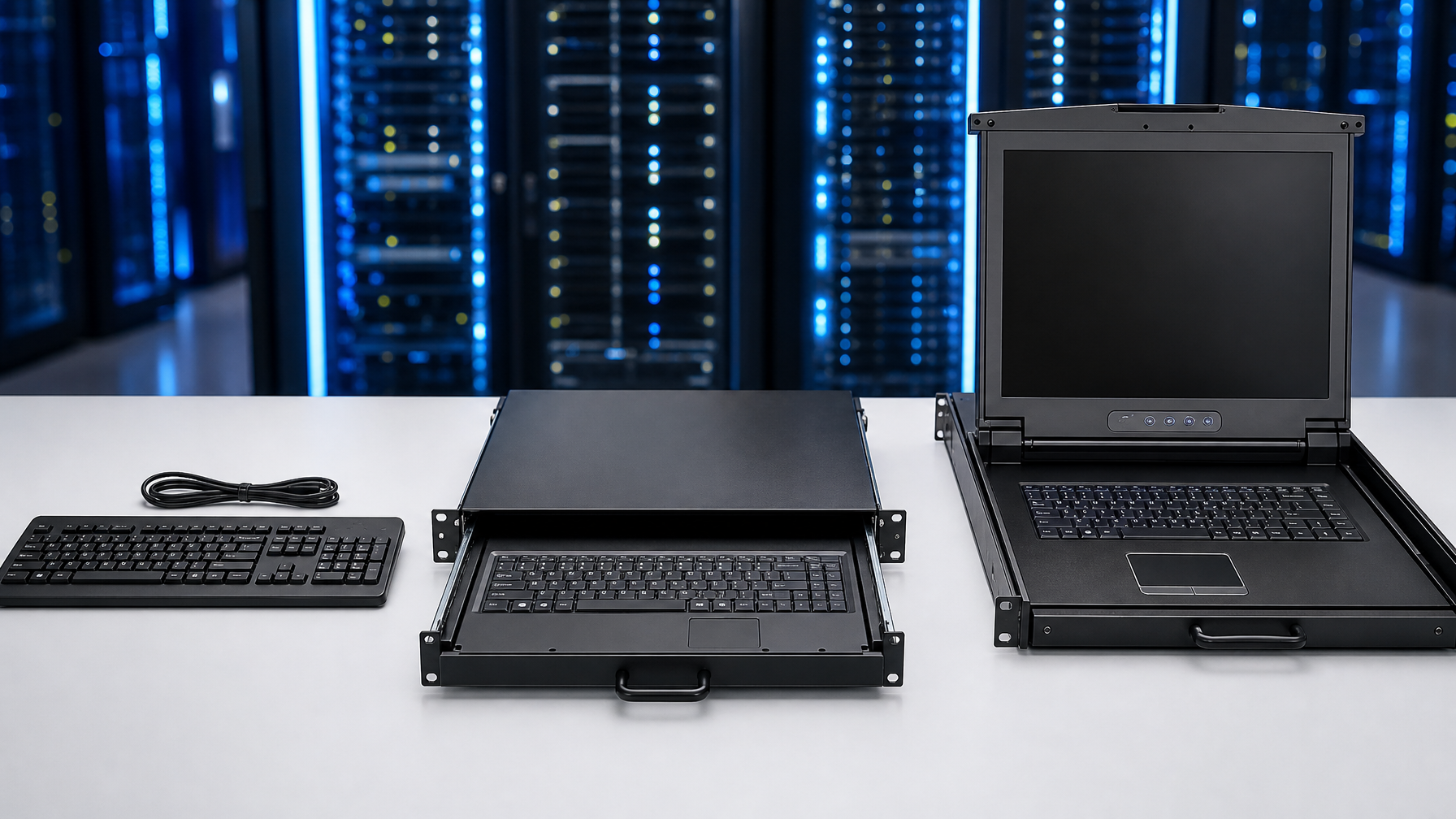
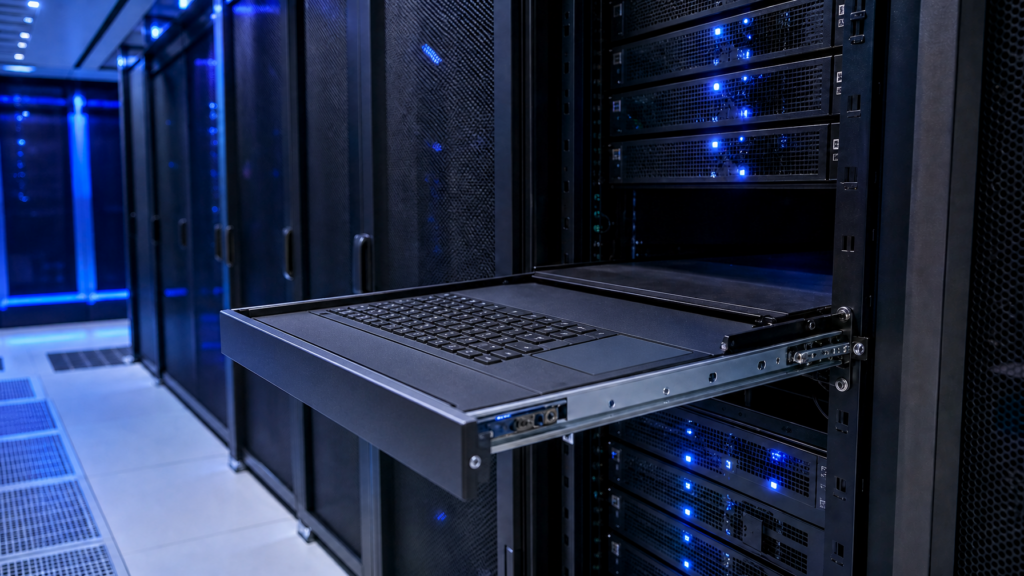
A rackmount keyboard drawer is a purpose-built 1U tray that slides into a standard 19-inch rack on telescoping rails. The drawer contains a full-size or notebook-style keyboard with an integrated touchpad or trackball. When not in use, the drawer pushes flush with the rack face, and some models include a front-panel lock.
How It Works
The keyboard drawer mounts into the rack using standard cage nuts and rail hardware. USB and (optionally) PS/2 cables route from the drawer to the target server's console port. The operator pulls the drawer forward on its rails to type, then slides it back and latches it closed. The drawer does not include a display; a separate rackmount monitor or KVM switch provides video.
Manufacturers like Austin Hughes produce CyberView rackmount keyboard drawers in standard-depth and short-depth variants. The short-depth models (around 350 mm) fit racks as shallow as 600 mm, which is common in network and telecom cabinets.
Strengths
- 1U footprint. The entire keyboard, touchpad, and rail assembly fits into a single rack unit, reclaiming the 2U to 4U that a shelf-mounted standalone keyboard and monitor would consume.
- Security. Front-panel key locks prevent unauthorized access when the drawer is closed. The keyboard cannot be removed from the rack without tools.
- Durability. Industrial-grade keyboard drawers use metal chassis, sealed key switches, and heavy-duty ball-bearing rails rated for tens of thousands of extension cycles.
- Cable tidiness. Cables route through the rear of the drawer along the rail assembly, eliminating loose runs across the rack face.
- Pointing device included. Built-in touchpads or trackballs eliminate the need for a separate mouse and the shelf space to hold it.
Weaknesses
- No built-in display. You still need a rackmount monitor or a portable display mounted elsewhere in the cabinet. Options include standard 1U rackmount LCDs, widescreen rackmount LCDs, or larger 6U to 10U rackmount LCDs. Budget and space for the display separately.
- Single-server connection (without a KVM switch). Like a standalone keyboard, a basic drawer connects to one server. Pairing it with a separate rackmount KVM switch adds cost and complexity.
- Key layout adjustment. Some 1U drawers use a compressed notebook-style layout to fit within the 19-inch width. Technicians accustomed to full-size desktop keyboards may need a short adjustment period.
Best Fit
Rackmount keyboard drawers are ideal for racks where a separate rackmount LCD is already installed or planned, environments that require a physical lock on keyboard access, and deployments where the IT team prefers to select their own KVM switch independently of the keyboard.
Form Factor 3: KVM-Integrated LCD Console Drawers

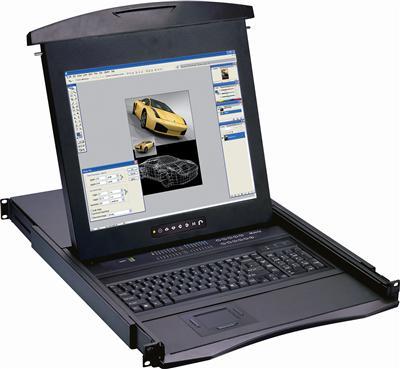
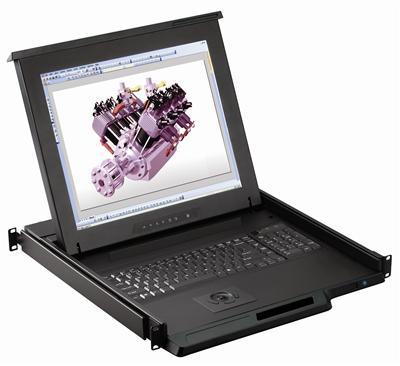
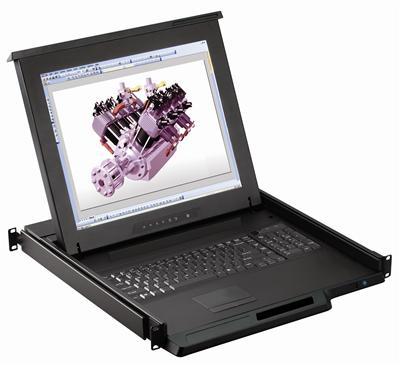
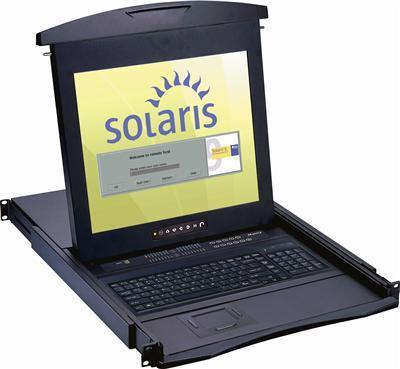
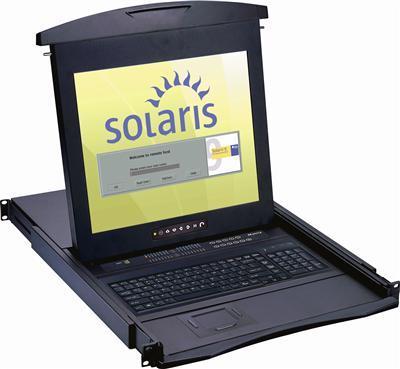
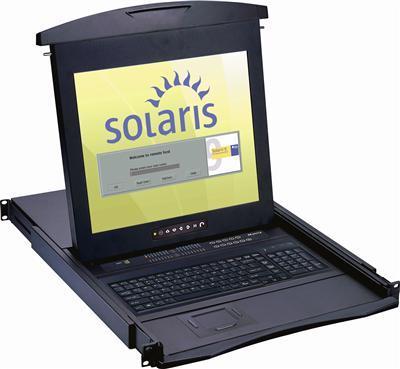
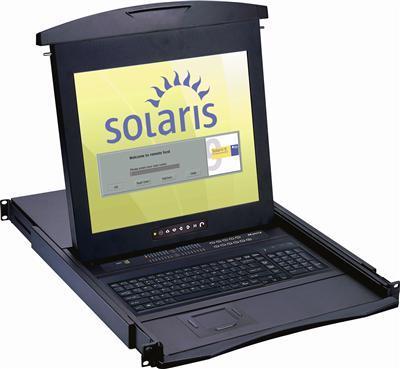
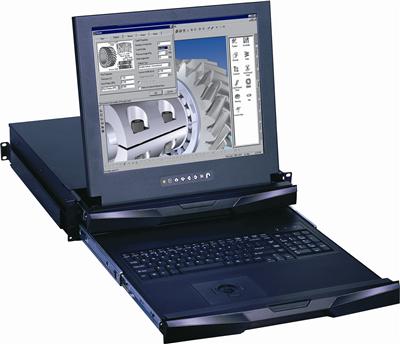
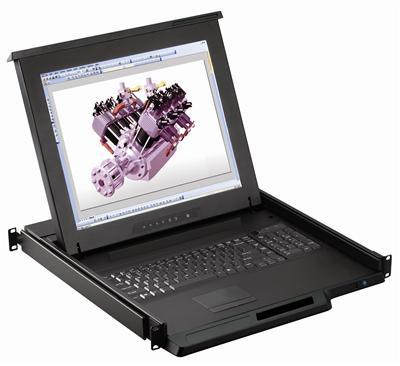
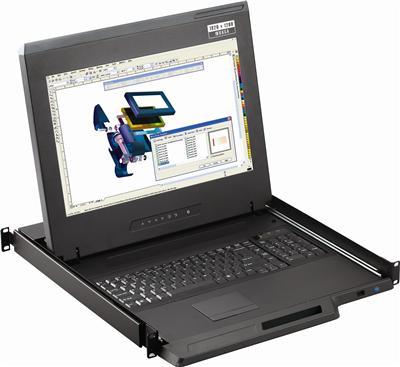
A KVM-integrated LCD console drawer combines a keyboard, a flat-panel display, a pointing device (touchpad or trackball), and a built-in KVM switch into a single 1U chassis. Pull the drawer open and you have a complete operator workstation. Close it and everything disappears into one rack unit.
How It Works
The console drawer mounts in a standard 19-inch rack. Video and USB cables run from the built-in KVM switch to each connected server. The operator opens the drawer, selects the target server through on-screen display (OSD) hotkeys or front-panel buttons, and works on that server's console. When finished, the operator closes the drawer and the front panel latches flush with the rack.
Austin Hughes CyberView LCD console drawers are available with 17-inch, 19-inch, 20-inch, and 23-inch displays, resolutions up to 4K (3840×2160), and integrated KVM switch modules supporting 8, 16, or 32 ports. For widescreen applications, widescreen LCD keyboard consoles provide a wider viewing area in the same 1U form factor. Some models support dual-slide configurations, where the LCD tilts open independently from the keyboard tray, allowing the technician to view the screen while the keyboard is stowed.
These units accept optional KVM modules for VGA, DVI, HDMI, DisplayPort, or CAT5/6 connectivity, depending on the server infrastructure in the rack. Specific interface variants include:
- DVI LCD keyboard consoles for legacy DVI server video
- HDMI LCD keyboard consoles for modern HDMI server connections
- DisplayPort LCD keyboard consoles for high-resolution DisplayPort environments
- Composite LCD keyboard consoles for legacy composite video systems
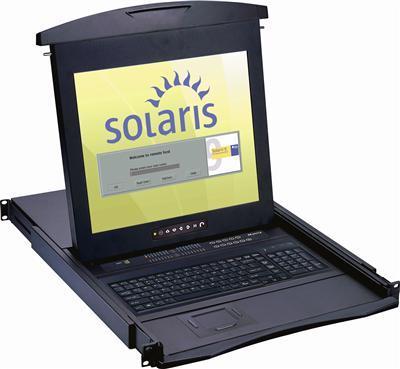
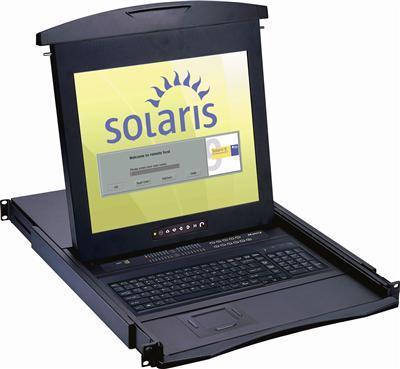
- Solaris LCD keyboard consoles for Sun/Oracle Solaris server environments
KVM Switch Integration Options
The KVM module built into the console determines how many servers can be managed and through which connection type:
- USB KVM console drawers connect to servers via USB cables, covering the majority of modern server hardware.
- PS/2 KVM console drawers serve legacy environments with PS/2-only keyboard and mouse ports.
- CAT5 KVM console drawers use Cat5/6 cabling to extend the connection between the console and each server, reducing cable bulk in dense racks and supporting longer runs.
- IP KVM console drawers add network-based remote access, allowing administrators to reach the console from anywhere on the LAN or over VPN.
- IP + CAT5 KVM console drawers combine both CAT5 cabling efficiency and IP remote access in a single module.
For high-brightness environments like broadcast control rooms or outdoor-adjacent equipment shelters, high-brightness LCD keyboard consoles provide enhanced screen visibility under strong ambient lighting.
Strengths
- Maximum space efficiency. Keyboard, display, and multi-server KVM switch occupy a single rack unit. Replacing a standalone keyboard (1U shelf), a separate monitor (1U to 2U), and a standalone KVM switch (1U) with one integrated drawer can free 2U to 4U per cabinet.
- Simplified cabling. One set of cables from the KVM module to the servers replaces separate keyboard, video, and mouse runs. For long-distance connections, CAT5 KVM extenders can bridge the gap between the console and remote servers.
- Multi-server access from one seat. OSD hotkeys or buttons let the operator switch between 8, 16, or 32 servers without moving cables.
- Physical security. The entire console locks behind the drawer face plate. Some models support a keyed lock that prevents the drawer from opening. For facilities handling classified or sensitive data, pairing the console with a secure KVM switch meets NIAP Common Criteria and DISA STIG requirements.
- Consistent operator experience. Every rack has the same keyboard layout, display size, and switching interface, which reduces training time and speeds troubleshooting for rotating shift staff.
Weaknesses
- Higher unit cost. A KVM-integrated LCD console drawer costs significantly more than a standalone keyboard or a keyboard-only drawer. The investment is justified by the space savings, cable reduction, and multi-server access, but the per-unit line item is higher.
- Single point of dependency. If the LCD panel or KVM module fails, the entire console is unavailable until the unit is repaired or replaced. Keeping a spare on hand mitigates this risk.
- Fixed display size. The display is built into the drawer, so upgrading to a larger screen means replacing the entire unit. Choose a display size that meets your needs for the expected lifecycle (typically 7 to 10 years for enterprise console hardware). Facilities that need a secondary larger display can pair the drawer with a dual or triple display rackmount monitor for expanded screen real estate.
Best Fit
KVM-integrated LCD console drawers are the strongest choice for enterprise data centers with high rack density, colocation facilities where every rack unit has a dollar value, government and healthcare server rooms that require locked console access, and any environment where a single operator manages multiple servers from one physical position in the aisle.
Head-to-Head Comparison Table
| Criteria | Standalone USB Keyboard | 1U Rackmount Keyboard Drawer | KVM-Integrated LCD Console |
|---|---|---|---|
| Rack space consumed | 2U to 4U (with shelf and monitor) | 1U (keyboard only; monitor separate) | 1U (keyboard, display, and KVM switch) |
| Servers accessible | 1 (manual re-cabling) | 1 (without external KVM) | 8, 16, or 32 (built-in KVM) |
| Built-in display | No | No | Yes (17 to 23 inches, up to 4K) |
| Built-in pointing device | No (separate mouse required) | Yes (touchpad or trackball) | Yes (touchpad or trackball) |
| Front-panel lock | No | Yes (on most models) | Yes |
| Typical price range | $15 to $150 | $400 to $800 | $1,200 to $4,500+ |
| Cable complexity | High (loose USB and video runs) | Moderate (USB routed through rails) | Low (integrated KVM cabling) |
| Replacement ease | Minutes (any USB keyboard) | Same-model swap (1 to 2 hours) | Same-model swap (1 to 2 hours) |
| Physical security rating | Low | Medium | High |
Decision Matrix by Environment Type
Not every server room has the same constraints. The table below maps each keyboard form factor to common deployment environments based on the factors that matter most in each setting.
| Environment | Primary Constraint | Recommended Form Factor | Reasoning |
|---|---|---|---|
| Enterprise data center (50+ racks) | Rack density, multi-server access | KVM-integrated LCD console | Saves 2U to 4U per cabinet; OSD switching eliminates cable swaps across dozens of servers |
| Colocation facility | Cost per rack unit | KVM-integrated LCD console | Every reclaimed U reduces monthly hosting fees; locked drawer satisfies shared-facility security requirements |
| Hospital server room | Physical security, HIPAA compliance | KVM-integrated LCD console or rackmount keyboard drawer with separate locked monitor | Locked console access supports audit requirements; integrated units reduce loose peripherals in clinical-adjacent spaces |
| University campus IT closet | Budget, limited rack count | Rackmount keyboard drawer | Lower cost than a full LCD console; adequate for 1 to 5 servers per closet; front-panel lock prevents student tampering |
| Government/military facility | Security certification, tamper resistance | KVM-integrated LCD console (NIAP-certified secure KVM module where required) | Consolidated, locked console with certified KVM switching meets DISA STIG and NIAP PP requirements |
| Lab or test environment | Flexibility, low cost | Standalone USB keyboard | Servers change frequently; dedicated console hardware is unnecessary for short-lived configurations |
| Remote/branch office server closet | Simplicity, infrequent access | Short-depth rackmount keyboard drawer | On-site staff access the server rarely; a locked drawer protects the keyboard between visits without the expense of a full console. Short-depth models fit shallow telecom racks |
| Broadcast or control room | 24/7 operator presence, ergonomics | High-brightness KVM-integrated LCD console | Operators sit at the rack for extended shifts; a built-in display and multi-server switching keep everything within arm's reach. High-brightness panels compensate for studio lighting |
Key Selection Criteria for IT Procurement
When writing a purchase specification or evaluating vendor quotes for server keyboard hardware, prioritize these criteria:
1. Rack Depth Compatibility
Standard server racks have internal depths of 600 mm, 800 mm, or 1000 mm. A keyboard drawer or console rated for 800 mm minimum depth will not fit a 600 mm telecom rack. Verify the product's rail depth range before ordering. Short-depth models (350 mm rails) exist specifically for shallower enclosures.
2. Video Interface Match
If you select a KVM-integrated console, confirm that the KVM module supports the video output of your servers. Older servers use VGA. Current 1U and 2U rack servers from Dell, HPE, and Lenovo typically provide VGA, and some newer models add HDMI or DisplayPort. Choose a console with the matching native interface: HDMI LCD consoles for HDMI servers, DVI LCD consoles for DVI outputs, or DisplayPort LCD consoles for DP connections. Using adapters adds latency and potential points of failure.
3. USB and PS/2 Support
Most modern servers use USB for keyboard and mouse input. However, legacy systems and certain industrial controllers still use PS/2 ports. Some rackmount keyboard drawers and KVM consoles include dual-interface (USB + PS/2) cables. Compare USB KVM drawers against PS/2 KVM drawers based on your server fleet's input ports.
4. Display Resolution (for KVM-Integrated Consoles)
A 1920×1080 (Full HD) display handles most server management tasks. If your team works with high-density dashboards, virtualization management interfaces, or 4K BIOS/UEFI screens, a console with a 3840×2160 panel provides the extra screen real estate. Keep in mind that 4K panels at 17 inches or 19 inches can make text very small; check whether the console's OSD allows font scaling. Widescreen LCD consoles offer wider aspect ratios that spread management dashboards across more horizontal space.
5. Number of KVM Ports
Match the KVM port count to the number of servers in each rack. An 8-port KVM console drawer covers a typical mixed rack with a few servers plus networking gear. Dense compute racks with 16 or more servers need a 16-port or 32-port module. Some console platforms support daisy-chaining or cascading additional CAT5 KVM switches or IP KVM switches for very large deployments. Matrix KVM switches enable multiple operators to share access to the same pool of servers.
6. Build Quality and Duty Cycle
Data center keyboards endure temperature swings, dust, and heavy use. Look for metal (steel or aluminum) chassis construction, sealed or semi-sealed key switches, and ball-bearing slide rails rated for at least 50,000 extension cycles. Plastic consumer-grade hardware will not last in a production data center. Proper LCD mounts and rail hardware also contribute to long-term reliability.
7. Front-Panel Lock
For any environment that undergoes compliance audits (HIPAA, PCI DSS, SOC 2, FedRAMP, DISA STIG), a front-panel keyed lock on the keyboard drawer or console is not optional. Auditors check for physical access controls on console hardware. A drawer that cannot be locked is a finding.
Common Mistakes When Specifying Server Keyboards
Buying the cheapest USB keyboard and a sliding shelf. The shelf alone costs $80 to $150 and consumes 1U. Add the space for a monitor and you have spent more than a rackmount keyboard drawer costs, while using 3x the rack space.
Ignoring rail depth on keyboard drawers. A drawer that extends 700 mm on its rails will collide with rear-mounted cable management arms or power distribution units in a shallow rack. Always measure available clear depth before ordering. Short-depth keyboard drawers solve this for racks under 600 mm.
Selecting a KVM console with the wrong video interface. A VGA-only KVM console will not display the output of a server with HDMI-only video. Adapters work in a pinch but degrade signal quality and add failure points. Match the KVM module's native interface to your servers. If your rack contains servers with mixed video outputs, consider using video converters to standardize the signal before it reaches the KVM.
Forgetting about remote management overlap. If every server has iDRAC, iLO, or IPMI remote management, you may not need a KVM console at every rack. A single shared console on a crash cart, or one IP KVM console per row with remote access, may be sufficient. Factor your remote management coverage into the quantity calculation.
Skipping the spare. KVM-integrated consoles are single points of failure for local console access. Stock at least one spare console per facility so a failed unit can be swapped without waiting for a vendor shipment.
Conclusion
The server keyboard is a small line item that shapes daily operations, rack efficiency, and security compliance across the life of a data center. Standalone USB keyboards serve lab and temporary environments. Rackmount keyboard drawers add security and space savings for smaller installations. KVM-integrated LCD console drawers deliver the highest density and the most streamlined operator experience for enterprise, government, healthcare, and colocation deployments.
Start by mapping each rack to the decision matrix above, count the servers each operator needs to reach, verify rack depth and video interface compatibility, and choose the form factor that fits. For facilities with mixed rack types, combining keyboard drawers in low-density racks with KVM-integrated consoles in high-density racks is a practical, cost-effective approach.
Browse the complete rackmount monitor and rackmount LCD catalogs, or call (216) 798-7530 for a live product consultation.