
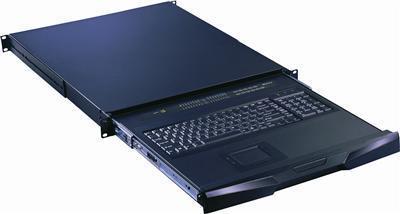
Rackmount Keyboard
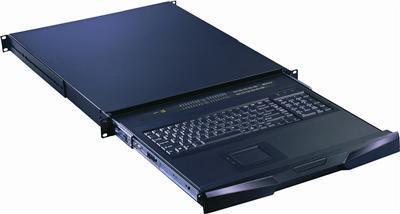
A rackmount keyboard is a 1U slide-out drawer with a full keyboard plus touchpad or trackball and no display. Use it when the cabinet already has a screen, you manage servers over IP, or a separate rackmount monitor sits in another U. Choose from standard or short-depth drawers with combo USB and PS/2 interfaces, including models with an integrated 8- or 16-port KVM switch. Call (216) 798-7530 with cabinet depth, pointing device, and host count.
These are populated keyboard drawers, not empty sliding trays or LCD consoles.
What a rackmount keyboard is
A rack mount keyboard puts the keys and pointing device in one slide-out 1U chassis. It gives you local input without mounting a separate desktop keyboard at the front of the rack. Choose a touchpad or trackball, then match the USB or PS/2 host interface and keyboard layout to your equipment. Check the drawer's closed depth and rail requirements against your cabinet before ordering.
Rackmount keyboard: drawer vs LCD console vs empty tray
| Need | Choose |
|---|---|
| Keys and pointing device, no screen | 1U rackmount keyboard drawer |
| Keys and a fold-down LCD | 1U rackmount LCD keyboard |
| LCD console, often with KVM switching | KVM drawer |
| Empty sliding shelf, no keyboard | Keyboard drawers here are populated; choose a separate empty tray |
| Keyboard and 8 or 16 hosts in one U | Keyboard drawer with integrated KVM switch |
Touchpad, trackball, depth, and KVM options
Touchpad models keep pointing control flat in the drawer; trackball models give you a separate ball to roll. Standard-depth units need enough cabinet clearance to close, while short-depth models suit shallower racks. Measure available mounting depth in millimeters and compare it with the selected SKU's dimensions. For multi-server access without an LCD in the drawer, choose an integrated 8- or 16-port USB/PS/2 KVM model. Standalone switches are in rackmount KVM switches.
When you do not need this page
Need a screen in the same chassis? Choose a 1U rackmount LCD keyboard or KVM drawer. Need only switching, without keys? Browse rackmount KVM switches. An empty tray is a different product from these populated drawers.
Browse products
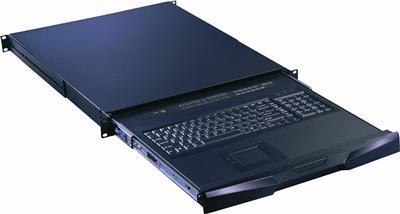
1U Rackmount Keyboards
Rackmount Keyboard Drawer with combo USB and PS2 Interface Touchpad
$599.00
$799.00
In stock
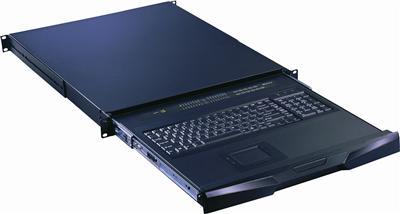
1U Rackmount Keyboards
Rackmount Keyboard Drawer with combo USB and PS2 Interface Trackball
$599.00
$799.00
In stock
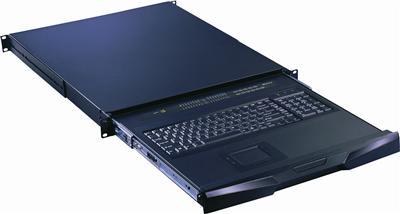
1U Rackmount Keyboards
Rackmount Keyboard Short Depth Drawer with Combo USB and PS2 interface Touchpad
$599.00
$799.00
In stock
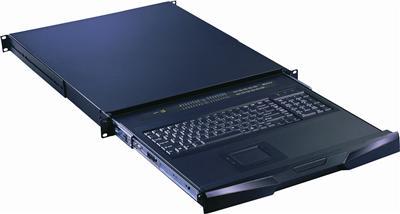
1U Rackmount Keyboards
Rackmount Keyboard Short Depth Drawer with combo USB and PS2 Interface Trackball
$599.00
$799.00
In stock
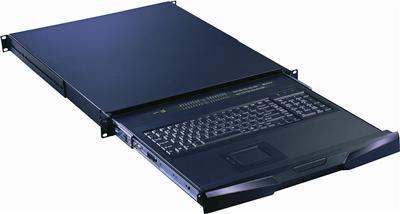
1U Rackmount Keyboards
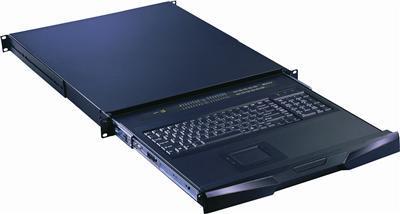
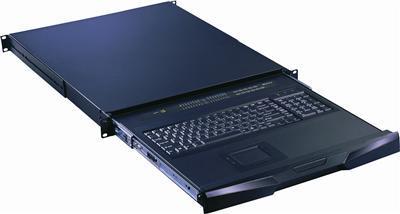
RK-S801e Cyberview Rackmount Keyboard with Integrated 8 Port combo KVM Switch USB and PS2 Touchpad
$1,046.00
$1,500.00
In stock
RFQ checklist
- Standard or short-depth drawer; closed depth in mm
- Touchpad or trackball
- USB, PS/2, or combo HID interface
- Keyboard only, or integrated 8- or 16-port KVM
- US or international keyboard layout
- Whether a display is already in the rack
For volume and government pricing, call (216) 798-7530.
Frequently Asked Questions
What is a rackmount keyboard?
A 1U slide-out drawer with a keyboard and touchpad or trackball but no monitor, for racks that already have a display or use KVM over IP.
Is every rackmount keyboard an empty tray?
No. The models here are populated drawers. Empty trays with no keys are a different product.
When would I use one without a monitor?
When the rack already has a display, you manage hosts over IP, or a separate rackmount monitor is mounted in another U.
Can it include a KVM switch?
Yes. Select models integrate an 8- or 16-port USB/PS/2 KVM switch in the same 1U drawer.
Is a short-depth version available?
Yes. Compare the selected drawer's closed depth and rail requirements with your cabinet dimensions before ordering.
Do I buy new VGA hardware for an old BMC?
A keyboard drawer has no display. Match the BMC's video output to a separate monitor or KVM path; ask us about an adapter if the signals differ.
Need help matching depth, keyboard layout, pointing device, or host count? Call (216) 798-7530.
Filters