By KVMSwitchTech · Updated October 21, 2026
Disclosure: This guide is published by KVMSwitchTech. Every SKU is from our catalog. We applied the same five-factor rubric to all eight. Scores come from published datasheets and deployment criteria, not a fake lab.
Summary
The short answer: for most IT managers and sysadmins buying an enterprise KVM switch in 2026, the M-IP824 Cyberview Matrix KVM Switch over IP is the best default. It is a 4×8 1U matrix with one local user, one Cat5/Cat6 remote user to 1000 ft, and two concurrent IP users, list $2,459.00. If the job is a dense 16-port Cat5 matrix with IP, step up to MU-IP1614 at $2,554.00. If you only need single-user IP on eight Cat5 ports, U-IP802 at $1,465.00 is the cleaner buy.
- Enterprise KVM in 2026 still means BIOS-level keyboard, video, and mouse across a rack, not a software remote-desktop session.
- We scored eight live SKUs on port/user class, video/EDID/USB, 1U rack fit, management/security, and price transparency.
- M-IP824 leads for concurrent users plus IP. MU-IP1614 wins when you need 16 Cat5 ports. UHDN-4P wins only when 4K60 HDMI at the desk is the job.
- Call (216) 798-7530 before you mix IP user counts, dongles, and drawer SKUs on one PO.
Everything we recommend
Top pick: M-IP824. Four concurrent paths (local + Cat5 remote + two IP) on eight ports. From $2,459.00.
Also great: MU-IP1614. 4×16 Cat5 matrix, local + two remote + one IP. From $2,554.00.
Best for single-user IP: U-IP802. Eight Cat5 ports, one local, one IP, SSL/AES. From $1,465.00.
Best for dense local Cat5: KVMCAT-32. 32 RJ45 ports in 1U. From $999.00.
Best 4K desk KVM: UHDN-4P. Four HDMI 4K60 with EDID emulation. From $409.00.
How we scored (not a fake bench)
We read each live PDP and datasheet on October 21, 2026: port map, concurrent users, video max, USB/HID notes, form factor, IP/OSD/security, and the add-to-cart price. We did not invent latency numbers or 4K60 claims on SKUs that do not list them.
1. Port/user density and switching class (×3). Concurrent users, cascade ceiling, Cat5 vs combo cable.
2. Video, EDID, USB fidelity (×2). Stated max resolution, EDID/emulation, USB class.
3. Form factor and rack fit (×2). True 1U vs desktop brick, depth, drawer vs switch-only.
4. Management (OSD, IP, security) (×2). Browser IP, SSL/AES, OSD, password, dual power.
5. Price transparency (×1). Live list price, what is not in the box (dongles, extra KVM cables).
Each factor is 1-5. Weighted total is out of 50, shown as X.X/10. Port/user class is heaviest because enterprise buyers fail first on concurrent sessions and cable plant, not on a pretty front panel.
The 8 at a glance
| Rank | SKU | Score | Best for | Live price |
|---|---|---|---|---|
| 1 | M-IP824 | 9.5 | Multi-user IP + Cat5 remote | $2,459.00 |
| 2 | MU-IP1614 | 9.3 | 16-port Cat5 matrix + IP | $2,554.00 |
| 3 | U-IP802 | 8.8 | Single-user Cat5 IP | $1,465.00 |
| 4 | W119-S801e | 8.4 | 1U drawer + 8-port USB KVM | $1,780.00 |
| 5 | KVMCAT-32 | 8.1 | 32-port local Cat5 | $999.00 |
| 6 | CV-S1601 | 7.7 | Local 16-port combo USB | $746.00 |
| 7 | UHDN-4P | 7.4 | 4K60 HDMI desk / control | $409.00 |
| 8 | Secure Pro DP 2-port | 7.1 | Isolated 2-port + CAC | $468.00 |
The 8 best enterprise KVM switches in 2026
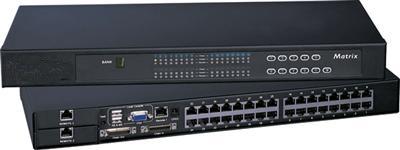
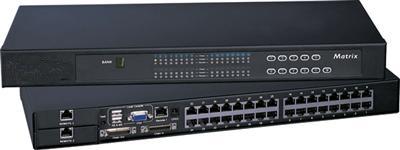
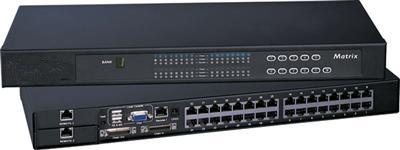
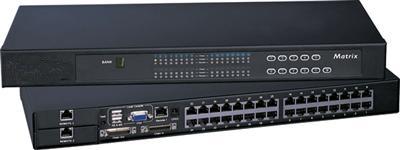
1. M-IP824 Cyberview Matrix KVM Switch over IP
Best for concurrent local + Cat5 remote + two IP users · 9.5/10 ★★★★★
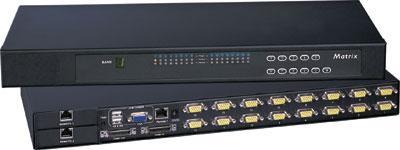
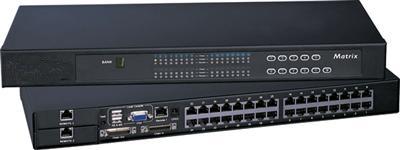
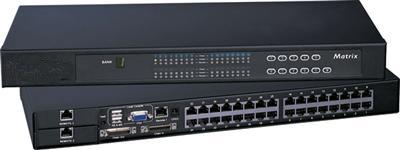
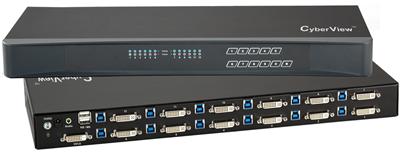
M-IP824. Source: KVMSwitchTech catalog.
This is the SKU we send when a NOC needs more than one person on the same eight servers at once. The PDP lists one local console, one Cat5/Cat6 remote user to 300 m (1000 ft), and two TCP/IP users, with cascade to 256 servers. Combo cables for USB and PS2 servers are called out; the listing includes eight 6 ft combo cables.
It sits in the matrix KVM switch line and the rackmount KVM switches group. Browser IP plus OSD and eight-character password cover the management column. Video is combo VGA-class at the local DB-15 path. Do not treat this as a 4K60 HDMI matrix.
Pros: ✓ Four concurrent access paths on 8 ports ✓ Two IP users plus 1000 ft Cat5 remote ✓ Eight combo cables in the box ✓ Cascade path to 256 servers
Cons: ✗ Local video is combo VGA, not HDMI 4K ✗ Eight ports is tight if the row is already at 16
Best for: NOC / multi-admin 8-server racks that need IP. Pricing: $2,459.00 (was $2,700.00). Shop M-IP824 or call (216) 798-7530.
2. MU-IP1614 Cyberview Cat5 Matrix KVM Switch over IP
Best for 16 Cat5 ports with mixed users · 9.3/10 ★★★★½
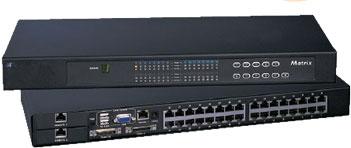
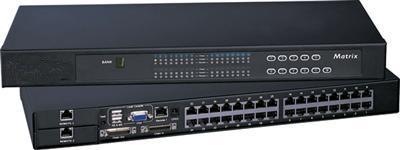
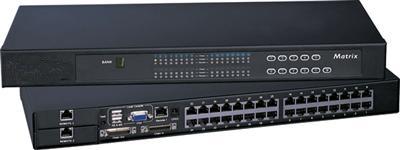
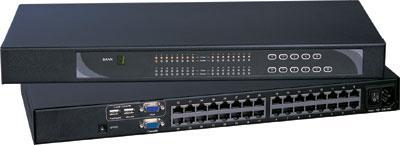
MU-IP1614. Source: KVMSwitchTech catalog.
Sixteen RJ45 server ports, one local, two Cat5 remotes to 1000 ft, one IP session. Dongles (DVI-USB, VGA-USB, VGA-PS2) are not in the box. IP security on the sheet: SSL v3, HTTPS, AES, CSR, RSA. Same 1U Austin Hughes Cyberview family as M-IP824, scaled for a full row.
If GSC traffic for “enterprise kvm switch matrix” is landing on the matrix hub, this SKU is the commercial 16-port answer. Pair it with a KVM drawer at the rack if you still want a local LCD.
Pros: ✓ 16 Cat5 ports in 1U ✓ Two analog remotes plus IP ✓ SSL/AES listed ✓ Cascade to 256
Cons: ✗ Dongles sold separately ✗ One IP user, not two like M-IP824
Best for: 16-server rows with split local/remote/IP. Pricing: $2,554.00.
3. U-IP802 Cyberview Cat5 KVM over IP Switch
Best for single-admin remote BIOS access · 8.8/10 ★★★★½
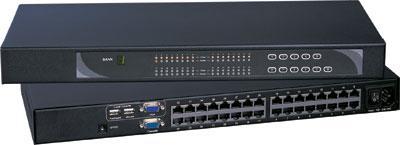
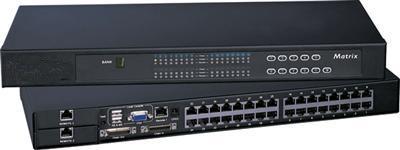
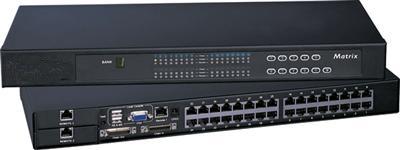
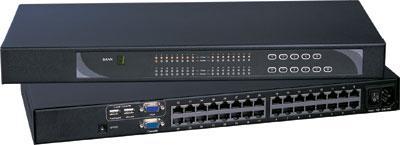
U-IP802. Source: KVMSwitchTech catalog.
Eight RJ45 ports, one local, one IP. Sheet max remote video 1600×1200. Fifteen logins, one active IP user. SSL v3, RSA, AES, HTTPS. Dual-power failover listed. Dongles required. This is the workhorse on the IP KVM switch page when you do not need a matrix.
It is not a second IP-KVM buyer guide. It is one SKU inside that class. For drawer-plus-IP, use 1U LCD keyboard with IP KVM switch instead of stacking blogs.
Pros: ✓ Cat5 plant to 130 ft ✓ Listed crypto stack ✓ Dual power ✓ Virtual media via USB on the IP block
Cons: ✗ One active IP user ✗ Dongles extra
Best for: One remote admin, eight servers. Pricing: $1,465.00.
4. W119-S801e Cyberview 1U 19" widescreen drawer with 8-port USB KVM
Best for local rack console plus switch in 1U · 8.4/10 ★★★★
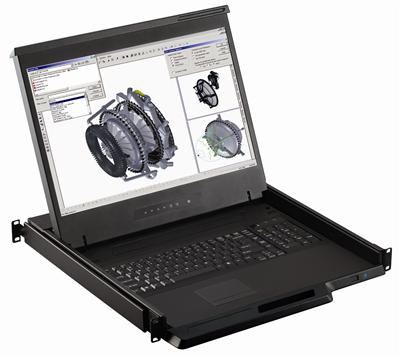
W119-S801e. Source: KVMSwitchTech catalog.
19" Samsung panel, 1440×900, 1U drawer, integrated 8-port USB KVM, touchpad. Combo PS2 or USB into the drawer. Cables sold separately. This is the “stand at the rack” enterprise pattern: rackmount LCD plus switch, not WAN access.
It complements a 19 Inch Rackmount Monitor row when you want keyboard in the same 1U. Native 1440×900. Do not sell it as 4K.
Pros: ✓ Console and 8-port KVM in 1U ✓ 1440×900 widescreen ✓ Mix PS2/USB/SUN ✓ In stock at $1,780.00
Cons: ✗ No IP on this SKU ✗ KVM cables extra
Best for: Local crash-cart replacement. Pricing: $1,780.00.
5. KVMCAT-32 CAT5 KVM Switch 1U 32 Ports
Best for dense local Cat5 without IP · 8.1/10 ★★★★
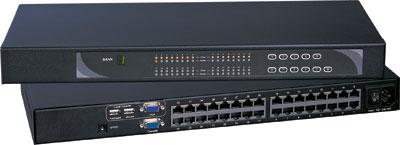
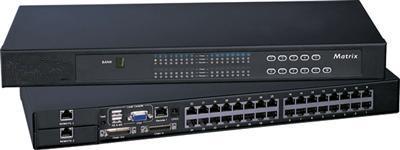
KVMCAT-32. Source: KVMSwitchTech catalog.
Thirty-two RJ45 ports, local DB-15 console, cascade to 256, dual power, optional 12/24/48 V DC. Dongles extra. Lives under Cat5 KVM switch and also shows on USB KVM switch listings because of USB dongle options.
No IP. If the ticket is “I need to get on this row from home,” this SKU is the wrong class.
Pros: ✓ 32 ports in 1U ✓ Thin Cat5 plant ✓ Dual power ✓ DC options
Cons: ✗ No IP ✗ Dongles extra
Best for: Dense local server rows. Pricing: $999.00.
6. CV-S1601 Cyberview 16-port combo USB/PS2/VGA
Best for simple local 16-port USB KVM · 7.7/10 ★★★★
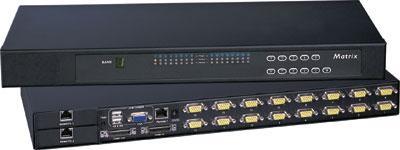
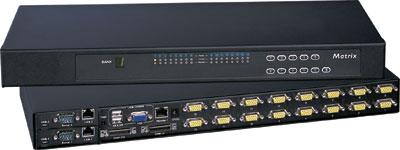
CV-S1601. Source: KVMSwitchTech catalog.
Classic 1U combo: 16 DB-15 ports, OSD, auto-scan, cascade to 240. Cables extra (6/10/15 ft). Lowest enterprise-row price on this list. Video is VGA-class combo. Treat leftover VGA BMC heads as convert-to-digital when you refresh; this SKU still serves mixed USB/PS2 rooms that are not 4K.
Pros: ✓ $746.00 live ✓ 16 ports 1U ✓ OSD and password ✓ Cascade
Cons: ✗ Cables extra ✗ No IP, VGA-class local video
Best for: Local-only 16-port racks. Pricing: $746.00.
7. UHDN-4P 4-Port Ultra 4K-60Hz KVM Switch
Best for 4K60 HDMI at the desk · 7.4/10 ★★★½
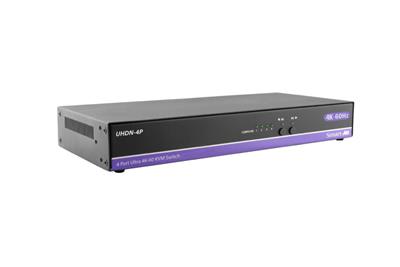
UHDN-4P. Source: KVMSwitchTech catalog.
This is the SKU whose sheet actually states 4K60. Four HDMI 2.0 inputs, one HDMI out, EDID emulation, USB 2.0 hub, RS-232 and hot keys. Optional rack ears. It is an HDMI KVM switch, not a 32-port data-center matrix.
Enterprise here means control-room or admin desk with four 4K PCs. It loses the port/user factor against 16- and 32-port 1U boxes. That is the point of the rubric.
Pros: ✓ 3840×2160 @ 60 Hz on the sheet ✓ EDID emulation ✓ USB 2.0 transparent ports ✓ $409.00
Cons: ✗ Four ports only ✗ Not a Cat5/IP matrix
Best for: 4K desks and small control positions. Pricing: $409.00.
8. 2-Port Single-head Secure Pro DisplayPort KVM (CAC)
Best for isolated two-enclave desks · 7.1/10 ★★★½
Secure Pro DisplayPort, USB emulation, CAC port. Live price $468.00. This is a secure KVM switch for classified-adjacent or dual-enclave desks, not a farm switch. Port count kills rank. Isolation and CAC are why it is on the list.
Pros: ✓ Dedicated CAC path ✓ USB HID emulation ✓ DisplayPort secure class ✓ $468.00
Cons: ✗ Two ports only ✗ Not rack-farm density
Best for: Two-network operator desks. Pricing: $468.00.
Use cases
Data center row. Start with MU-IP1614 or KVMCAT-32. Add a 1U rackmount keyboard or drawer if there is no crash cart.
NOC with two remote admins. M-IP824. Confirm two IP users on the PO, not one.
Broadcast / 4K desk. UHDN-4P. Route walls on an HDMI matrix switch, not this KVM.
Secure desk. Secure Pro DP. Do not cascade it like a farm KVM.
Long cable plant without IP. Cat5 extender plus local KVM, or Cat5 KVM dongles. Fiber runs belong on the fiber optic extender page, not a second extender blog.
What it costs
| Path | Hardware (live list) | Typical extras |
|---|---|---|
| 8-port IP matrix (M-IP824) | $2,459.00 | Extra combo cables if >8 |
| 16-port Cat5 IP matrix (MU-IP1614) | $2,554.00 | Dongles ×16 |
| 8-port single IP (U-IP802) | $1,465.00 | Dongles ×8 |
| 32-port local Cat5 | $999.00 | Dongles ×32 |
| 16-port local USB | $746.00 | Combo cables ×16 |
| Drawer + 8 USB KVM | $1,780.00 | Cables |
| 4K60 4-port HDMI | $409.00 | HDMI + USB cables |
| 2-port secure DP | $468.00 | DP + CAC reader |
Volume and GSA: (216) 798-7530.
Head-to-head
M-IP824 vs U-IP802. Matrix with two IP users vs one IP user. Same Cyberview family. Pay the matrix premium only if two people must share.
MU-IP1614 vs KVMCAT-32. IP + two remotes vs 32 local Cat5 ports and no IP.
W119-S801e vs CV-S1601. Drawer with panel vs switch-only. Buy the drawer when the rack has no shared LCD.
UHDN-4P vs farm KVMs. 4K60 HDMI vs port density. Different jobs.
How to evaluate
- Concurrent users. Local, Cat5 remote, IP. Count simultaneous sessions.
- Cable plant. Combo DB-15 vs RJ45 dongles vs HDMI at the desk.
- Video class. Sheet max. Assume 4K30-class unless the SKU states 4K60 (UHDN-4P does).
Red flags: “KVM over IP” that is only software RDP; missing dongle line items; 4K60 claimed on VGA combo SKUs; secure KVM without a CAC story when the ATO requires it.
Ask before you buy: How many concurrent IP users? Dongles in the quote? Cascade later? Drawer or switch-only? Dual power? DC plant?
Final verdict
- M-IP824 9.5
- MU-IP1614 9.3
- U-IP802 8.8
- W119-S801e 8.4
- KVMCAT-32 8.1
- CV-S1601 7.7
- UHDN-4P 7.4
- Secure Pro DP 7.1
The bottom line
If the ticket is “enterprise KVM switch” and several admins share a rack, order M-IP824. If the row is 16 Cat5 ports, order MU-IP1614. If you only need one IP session, stop at U-IP802.
Call (216) 798-7530. Also shop rackmount monitors, video matrix switches, video splitters, video converters, cables, HDMI cables, KVM switch cables, HDMI splitter, HDMI switch, 8×8 HDMI matrix switch, 16×16 HDMI matrix switch, 4×4 HDMI matrix switch, Cat5e/Cat6 HDBaseT HDMI matrix, PS2 KVM switch, 1U rackmount LCD, widescreen rackmount LCD, HDMI rackmount LCD, 1U HDMI LCD keyboard, 1U KVM drawer with USB KVM switch, Cat5 HDMI extender, contact us.
Frequently asked questions
What is the best enterprise KVM switch in 2026?
For multi-admin racks, M-IP824 at $2,459.00. For 16 Cat5 ports, MU-IP1614. For one IP user, U-IP802.
What is an enterprise KVM switch?
Hardware that shares keyboard, video, and mouse across many servers at BIOS level, often 1U, often with IP or Cat5 remotes.
Do I need KVM over IP?
Only if someone must reach BIOS off-site. Local USB KVM switch SKUs cost less.
Cat5 KVM or combo cables?
Cat5 for dense rows and distance to 130 ft. Combo cables for small racks. See Cat5 KVM switch.
Can I cascade?
M-IP824, MU-IP1614, U-IP802, KVMCAT-32, and CV-S1601 list cascade ceilings (240-256). Confirm on the quote.
Is 4K60 available?
UHDN-4P lists 4K60. Do not assume 4K60 on combo VGA Cyberview SKUs.
Secure vs farm KVM?
Secure SKUs isolate ports and often add CAC. Farm SKUs maximize ports and users.
Drawer or switch?
Drawer when the rack needs a local LCD. Switch when a rackmount monitor already exists.
Are dongles included?
MU-IP1614, U-IP802, and KVMCAT-32 say dongles are separate. M-IP824 includes eight combo cables.
Warranty?
PDPs list 2-year warranty with RMA.
GSA / volume?
Call (216) 798-7530.
Will this cannibalize the IP KVM category?
This post ranks SKUs for “best enterprise kvm switch.” Architecture how-to stays on IP KVM switch.